Plan, publish and grow your brands in one place.
Bring social content, customer conversations, outreach and reporting together—with the right access for every member of your team.
Start with two channels. No credit card required.
An example workspace with fictional brands.
Find a brand and see exactly what goes out next.
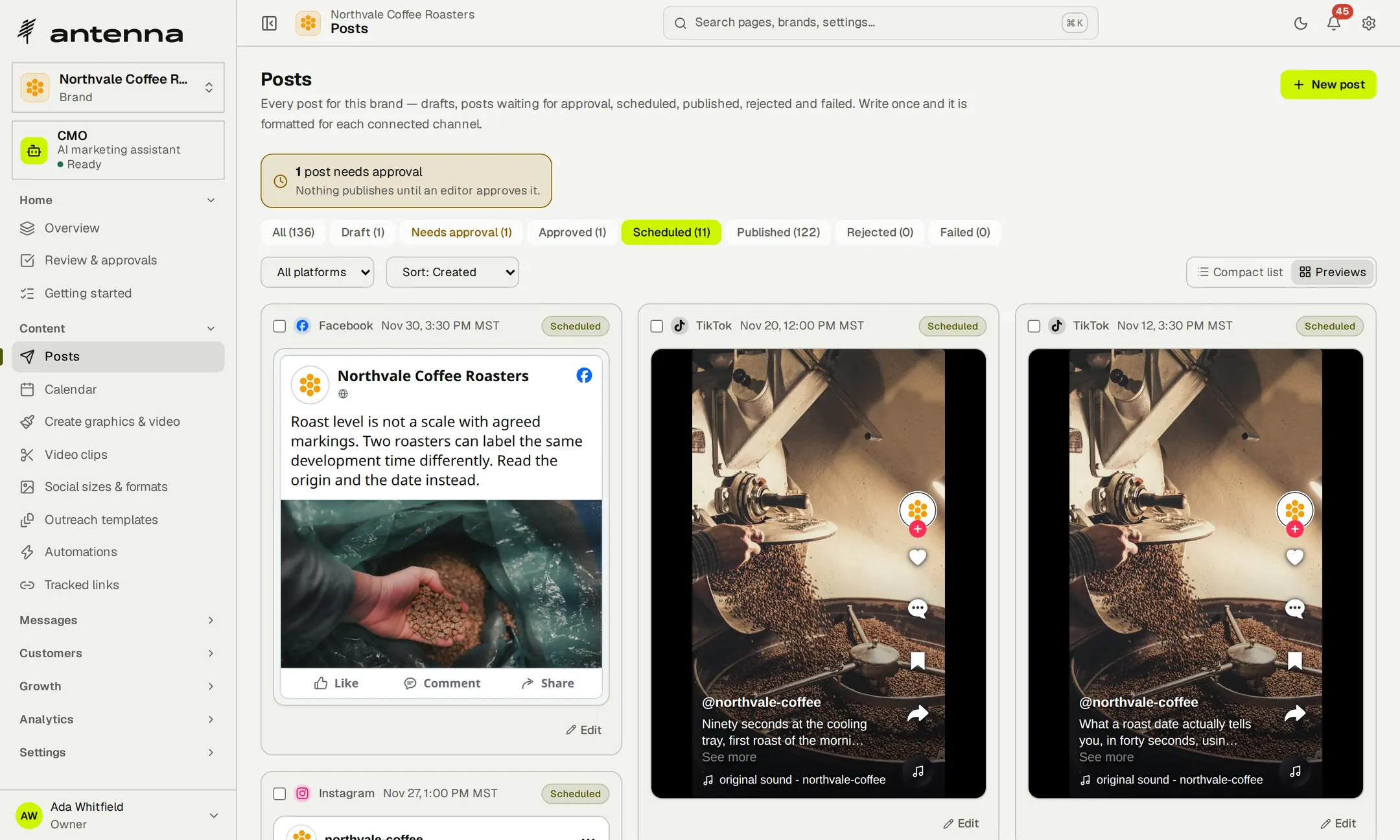
Start from the portfolio, jump to a brand with search and open its scheduled posts. Each one appears the way its network will show it, so you can check the week before it publishes.

- Start from the portfolio of every brand.
- Search for the brand you need.
- Check its scheduled posts, network by network.
Recorded in Antenna, in an example workspace of fictional brands. The recording has no sound.
- Unlimitedbrands on every plan, Free included
- $0to start, with two channels and no card
- 2 to 150connected channels as you grow, from Free to Agency
Bring every brand you run into one workspace today.
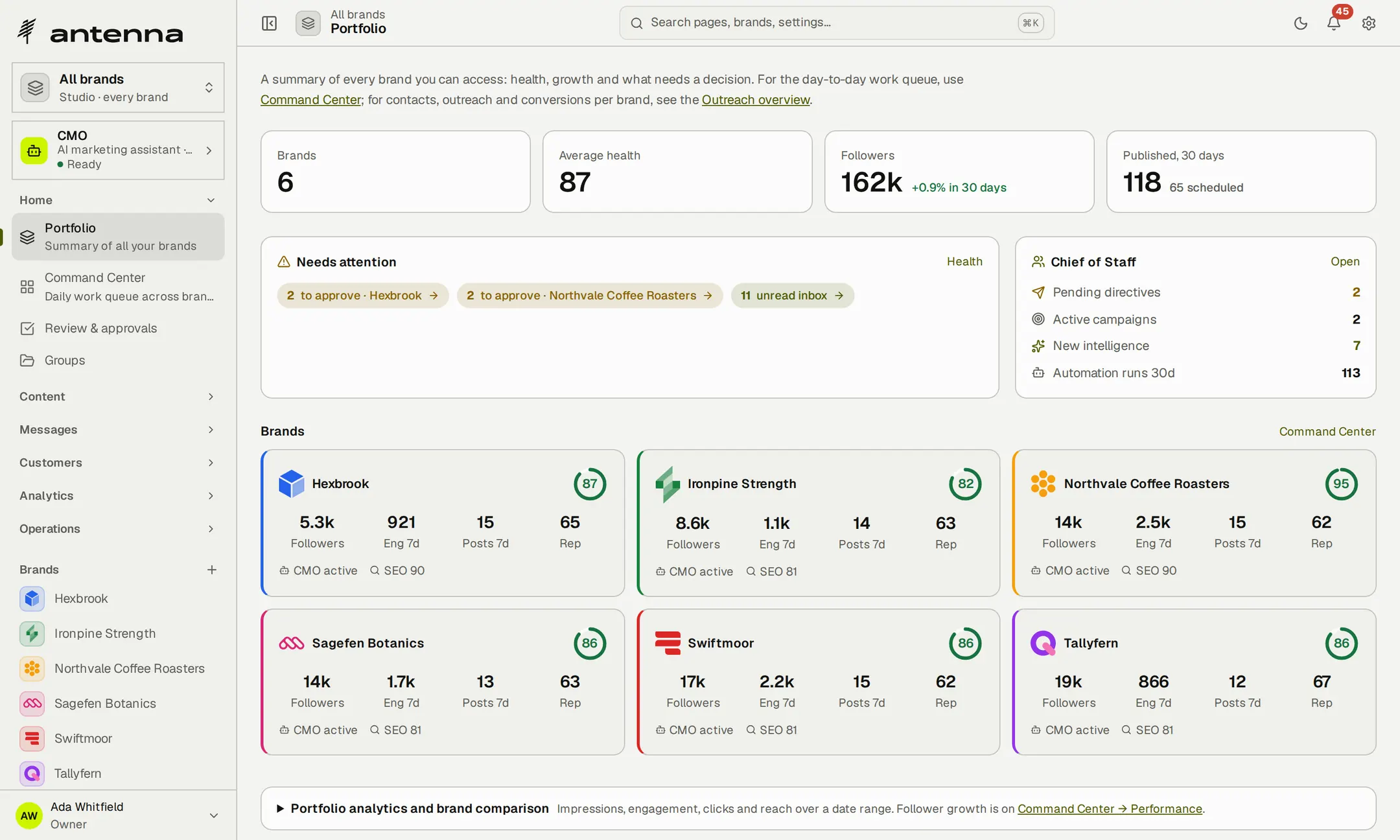
See every brand you run, side by side.
Some brands have posts waiting for approval; others have unread messages. The portfolio shows each brand's health, audience and posting, and counts what needs attention, so you know where to start.
- What needs attentionPosts to approve and unread messages, counted across your brands.
- A card for every brandFollowers, engagement, posts and a health score at a glance.
- Straight into the workOpen a brand and its calendar, inbox and customers are a click away.
A workspace that already knows the brand.
Paste the brand's website. Antenna reads up to 25 pages, follows the sitemap and respects robots.txt, then drafts a product brief, a marketing strategy, a competitor analysis and a voice guide for you to review and edit.
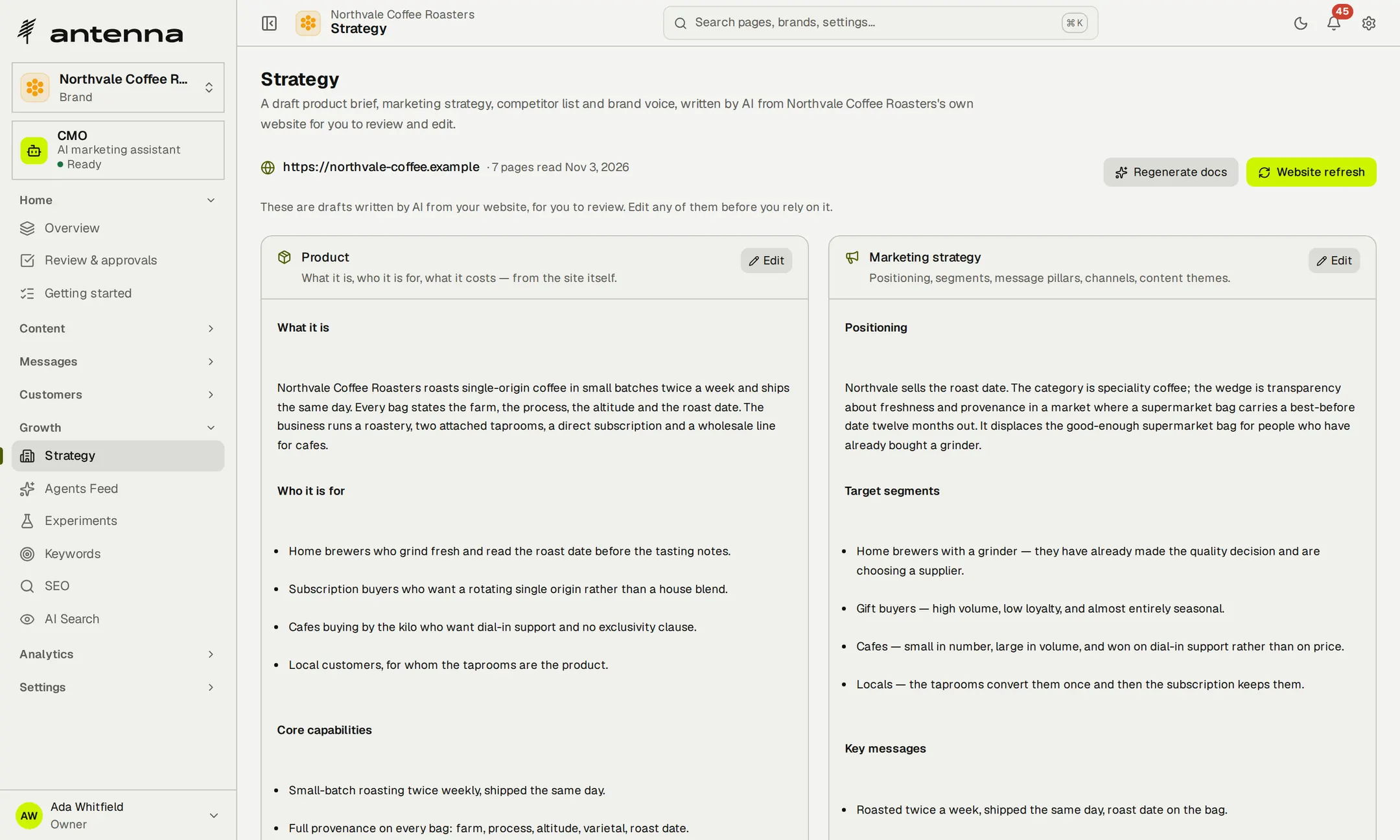
- Drafts, clearly markedEvery document says it was written from the site and waits for your edits.
- Refresh when the site changesRead the site again; if nothing changed, nothing is rewritten.
- The brand's lookLogo, colours and fonts are kept with the brand.
- Your own AI keyWriting the documents uses the Anthropic or Gemini key you add.
Publish where your audience already is.
Connect each brand's Facebook, Instagram, LinkedIn, X, TikTok, YouTube, Pinterest, Threads, Bluesky and Mastodon accounts once. Antenna knows what every network accepts—length, media, polls and threads—checks each post before it's scheduled, and shows it the way that network will.
- FacebookPage posts with an image or video
- InstagramImage and video posts
- LinkedInPosts with an image or video
- XPosts and polls
- TikTokVideo and photo posts
- YouTubeVideo uploads
- PinterestPins with an image or video
- ThreadsPosts and polls
- BlueskyThreads with images
- MastodonThreads and polls
Conversations, data and AI, on your own accounts
- WhatsAppCustomer conversations
- TwilioSMS and calls
- TelnyxCalls
- EmailYour own mailboxes over SMTP and IMAP
- Google AnalyticsWebsite traffic
- Search ConsoleSearch queries
- ClaudeAssistants and AI-answer checks
- GeminiWriting, on a Gemini key
- OpenAIClip captions
Every post, the way its network will show it
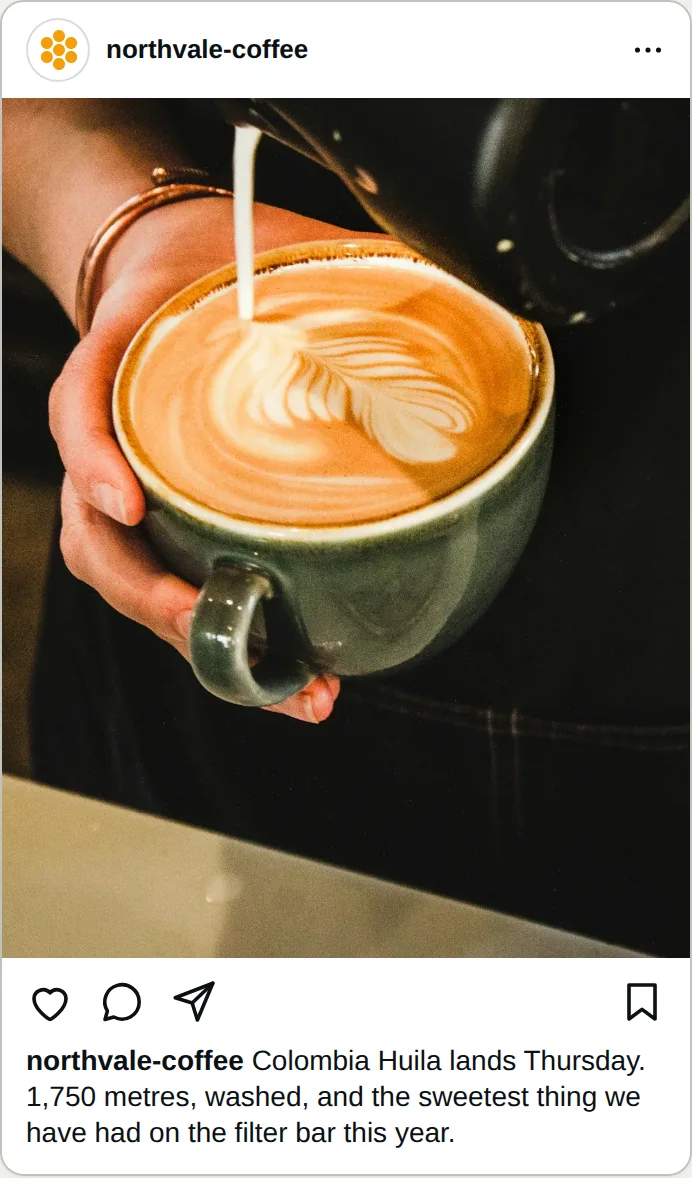
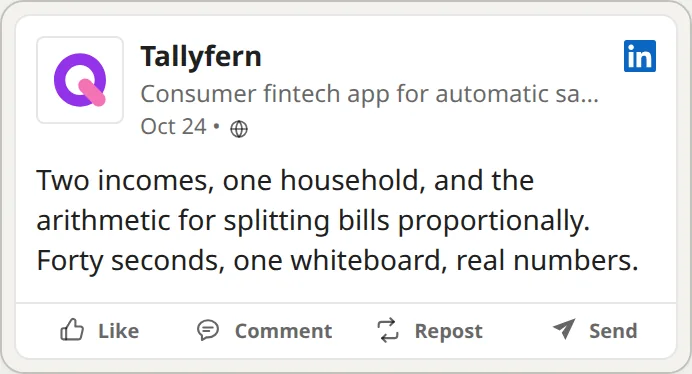
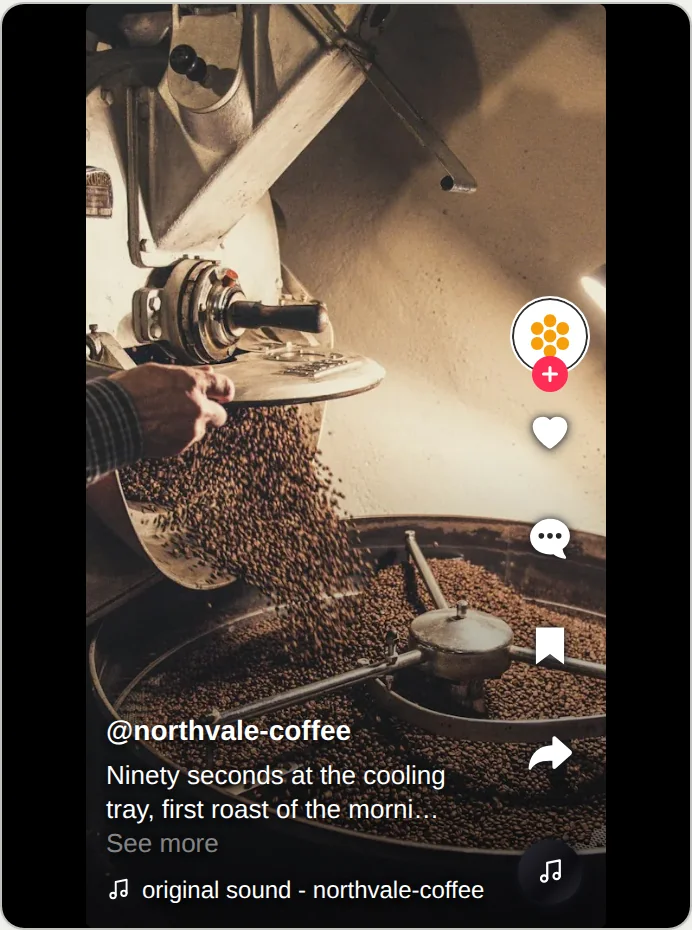
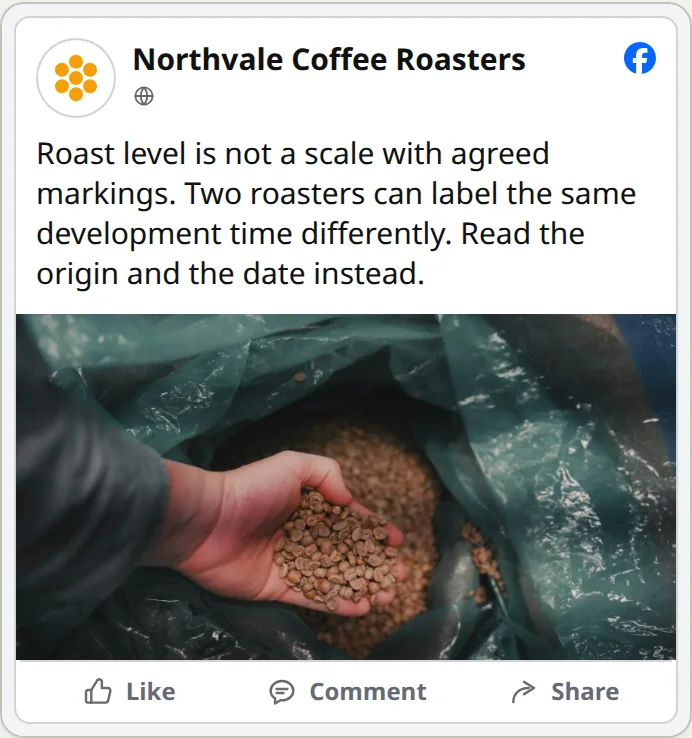
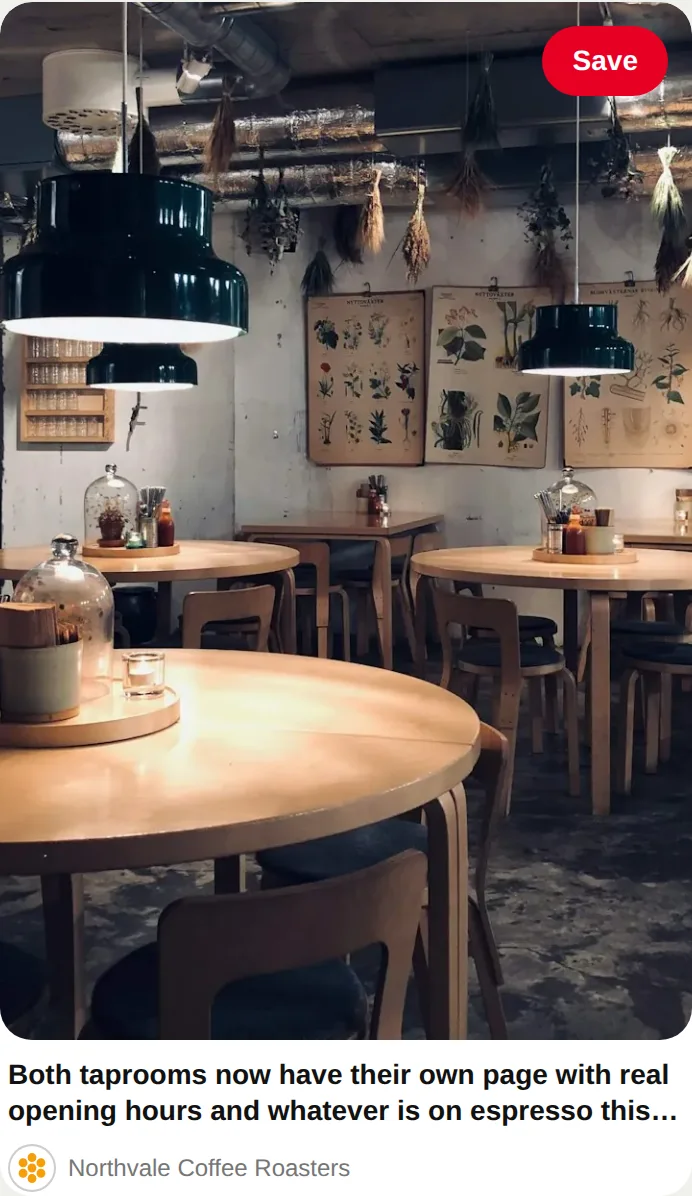
YouTube, Threads and Mastodon posts get previews in their own formats too.
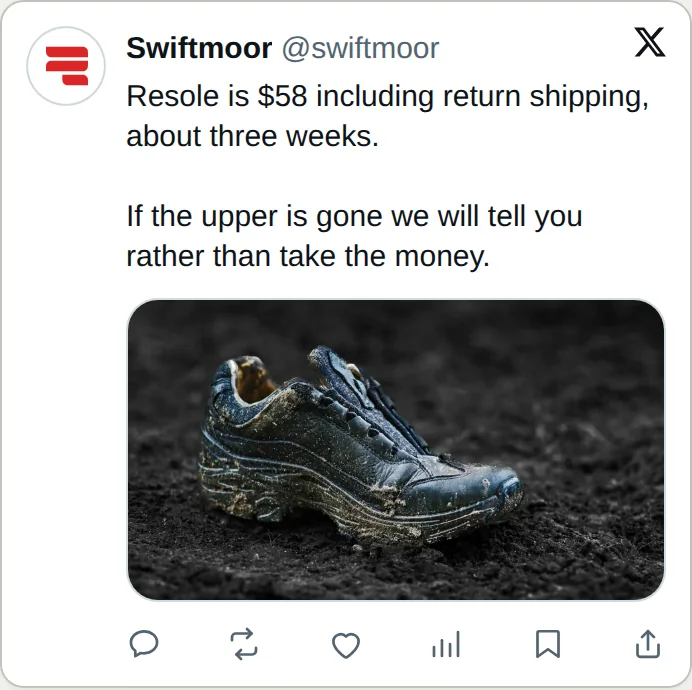
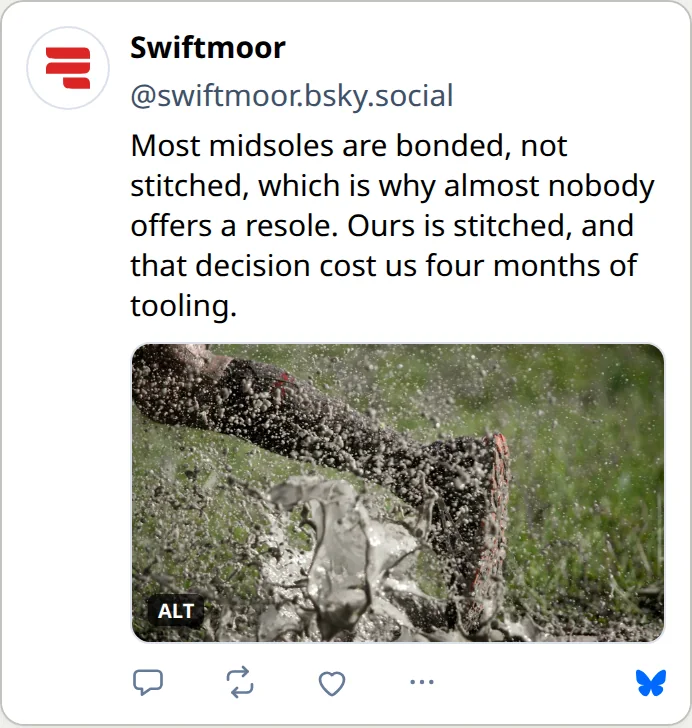
Previews from Antenna's Posts board, captured in an example workspace of fictional brands.
- 10networks one draft can be adapted for
- 25pages at most, read from a brand's site to brief Antenna
- 4brand documents drafted for your edits
Connect two channels free and see every post the way its network will show it.
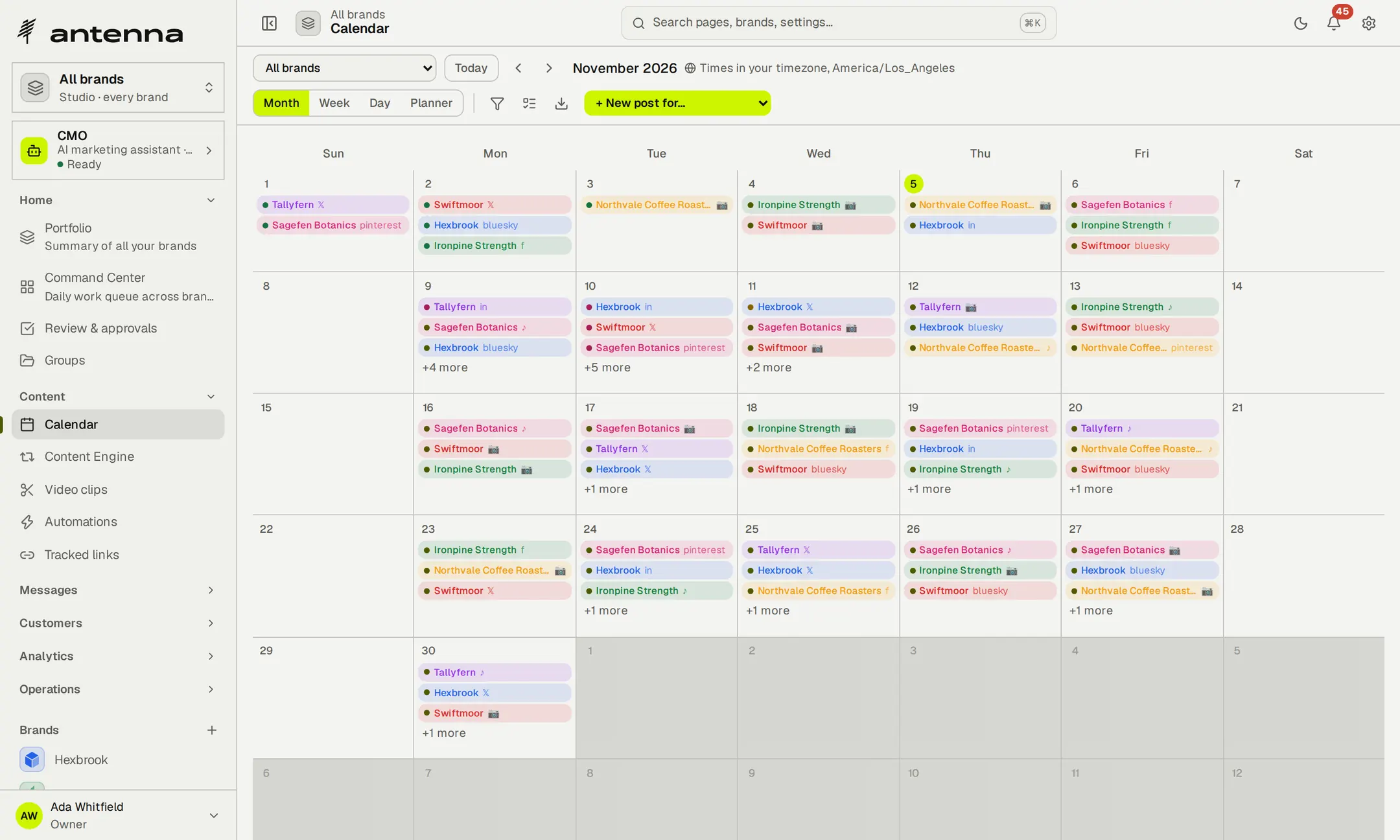
Plan the month across every brand.
Lay out the weeks for all your brands in one calendar, or narrow it to one. Set posting slots for each network, and new posts drop into the next free slot in the brand's own time zone.

A month of scheduled posts for the fictional Northvale Coffee Roasters, recorded in Antenna.
- Month, week, day and plannerSee the whole month, then zoom in on the detail.
- Posting slotsAdd to queue picks the next free slot on that network.
- Calendar feedExport scheduled posts as an ICS feed for any calendar app.
Write once, then fit each network.
Start from one draft and adjust the copy for each network it's going to. Antenna checks length, media, polls and threads against each network's rules and previews the post the way people will see it there.
- Previews that match the feedFacebook, TikTok, Instagram and the rest, each shown in its own layout.
- Adapt with AIRewrite in the brand's voice, shorten or adapt for another network, on your own key.
- One set of mediaThe same image or video carries across every version.
Keep the publishing rhythm going.
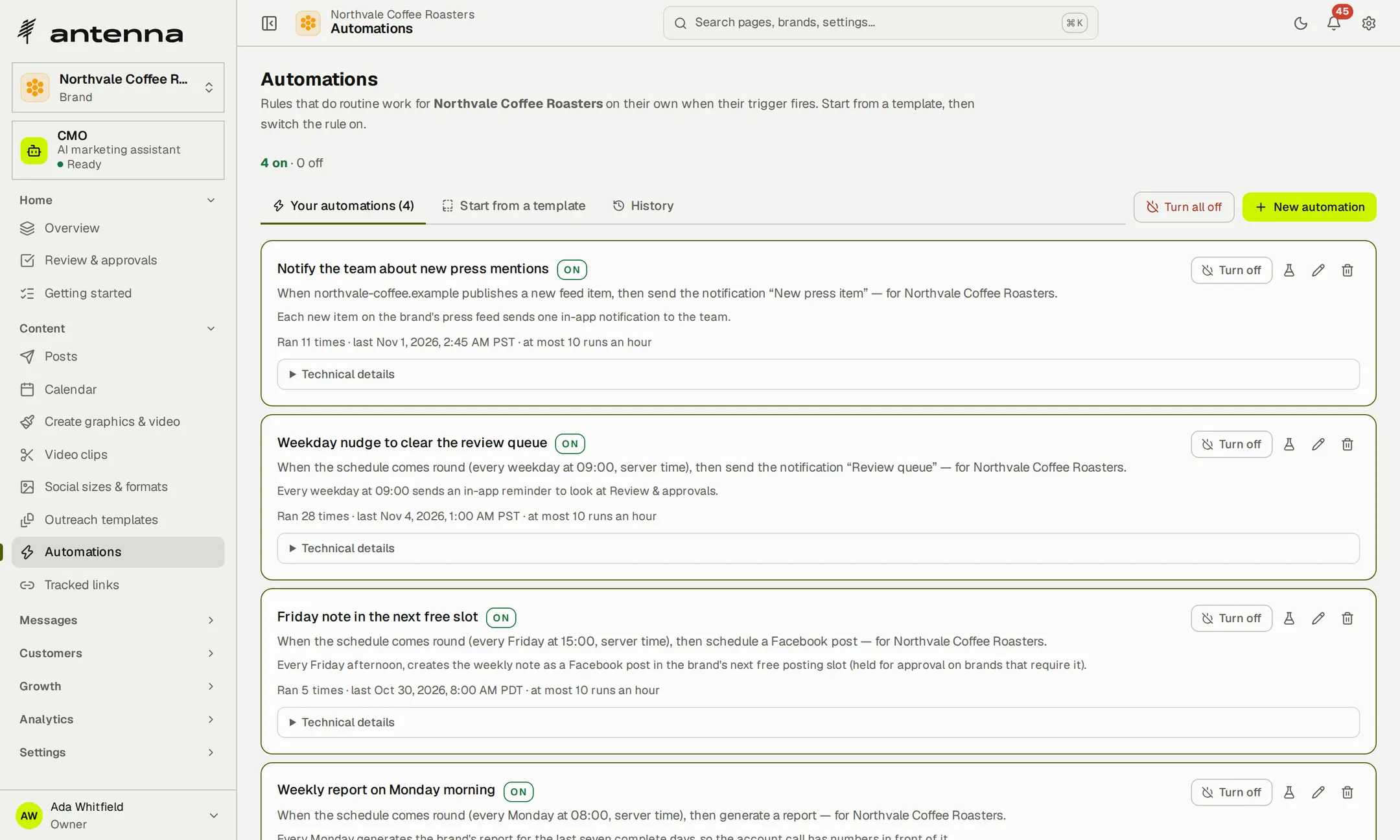
Queue posts into each brand's posting slots, bring evergreen posts back when they've been quiet, and let rules turn a schedule or a new RSS item into work for the team.
- Evergreen posts returnPublished evergreen posts that have been quiet for 30 days go back in the queue, and wait for review where approval is required.
- From the blog to a draftA new item on the brand's feed becomes a draft for review.
- Rules with a historyEvery rule shows how often it ran and when it last ran.
- 4calendar views: month, week, day and planner
- 30 daysuntil a quiet evergreen post returns to the queue
Keep every brand's queue moving through a busy month.
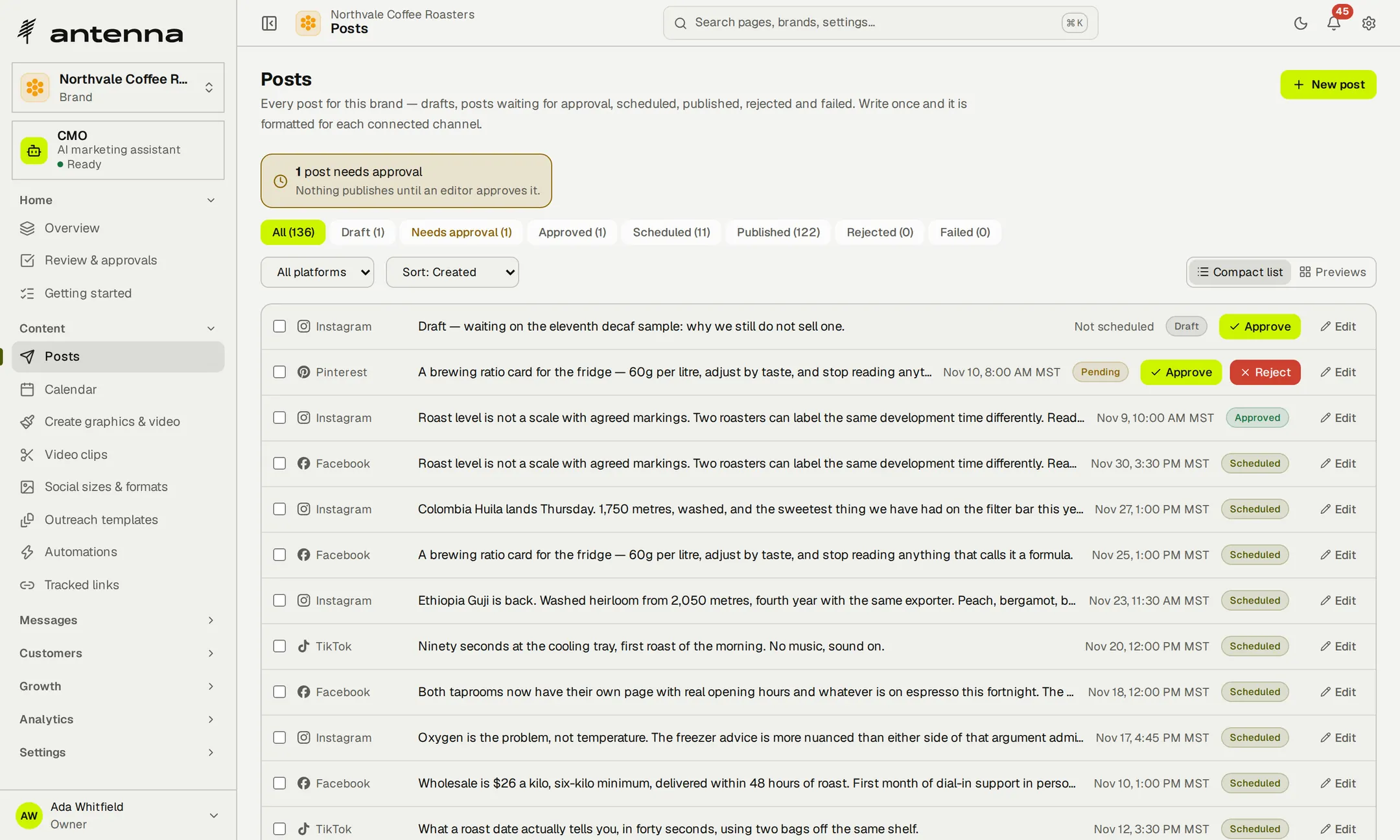
Review every post before it goes out.
Turn on approval for a brand and nothing it schedules publishes until someone approves it. Reviewers see what's waiting for them, leave feedback, and approve or send it back, with every decision kept on the post.
- Separate handsWhoever submitted a post can't approve it, unless they're a workspace owner or administrator.
- Sign-off from outsideSend a client a private approval link for a post; it expires after seven days.
- Every status in viewDrafts, posts waiting for approval, scheduled, published, rejected and failed.
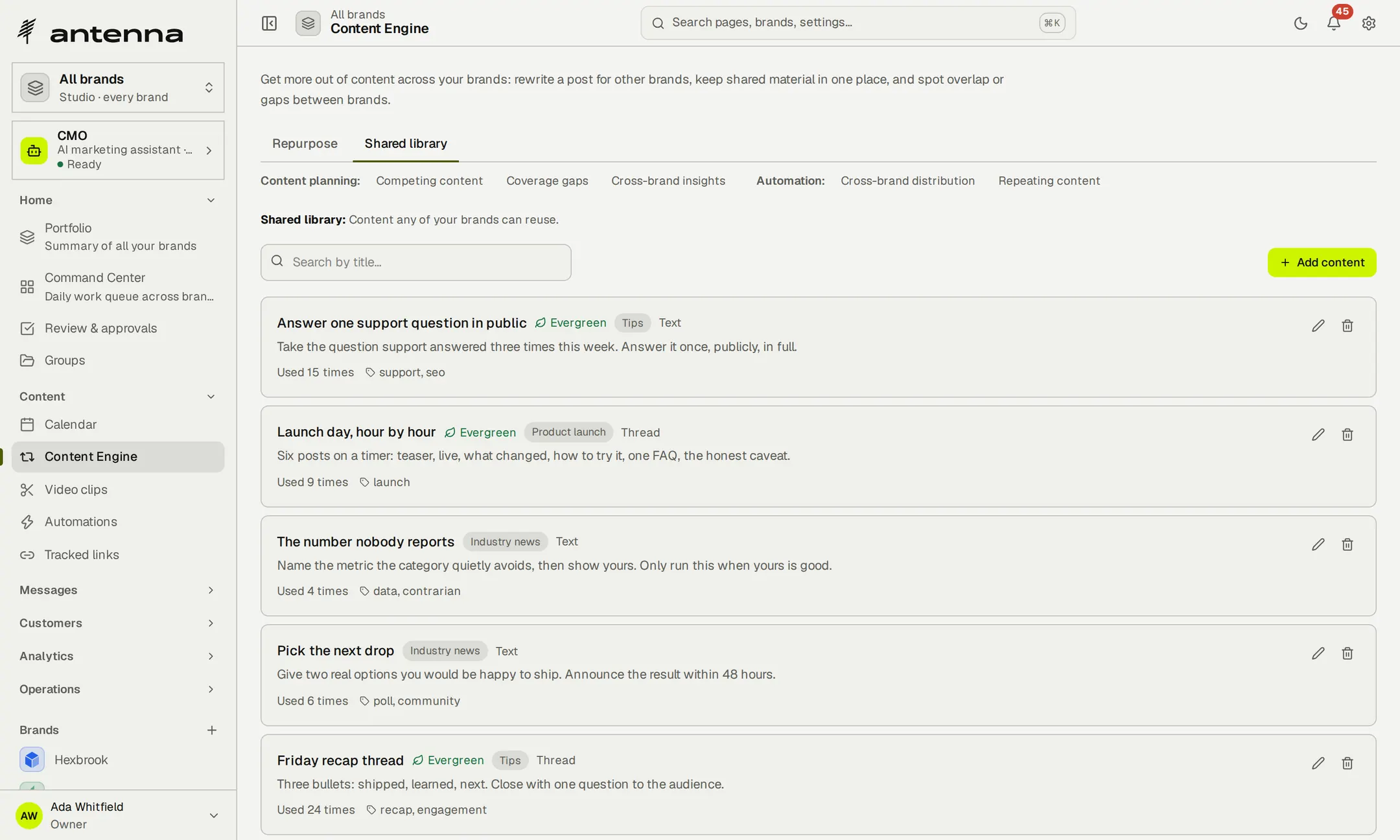
Keep the brand's media together.
Uploads, rendered graphics and video clips land in the brand's library, ready to reuse in any post. A shared library keeps the posts worth running again, with themes, tags and a count of how often each one has been used.
- Graphics from templatesQuote cards, stat highlights, announcements and promo banners, plus slideshow and text-reveal videos.
- A manifest on requestExport a list of the brand's media whenever you need it.
Turn long recordings into short clips.
Upload a talk, a podcast episode or a webinar, or paste a link to the file. Antenna transcribes it, picks the strongest moments, frames them for each network and adds captions, then gives you each clip as a draft post to review.
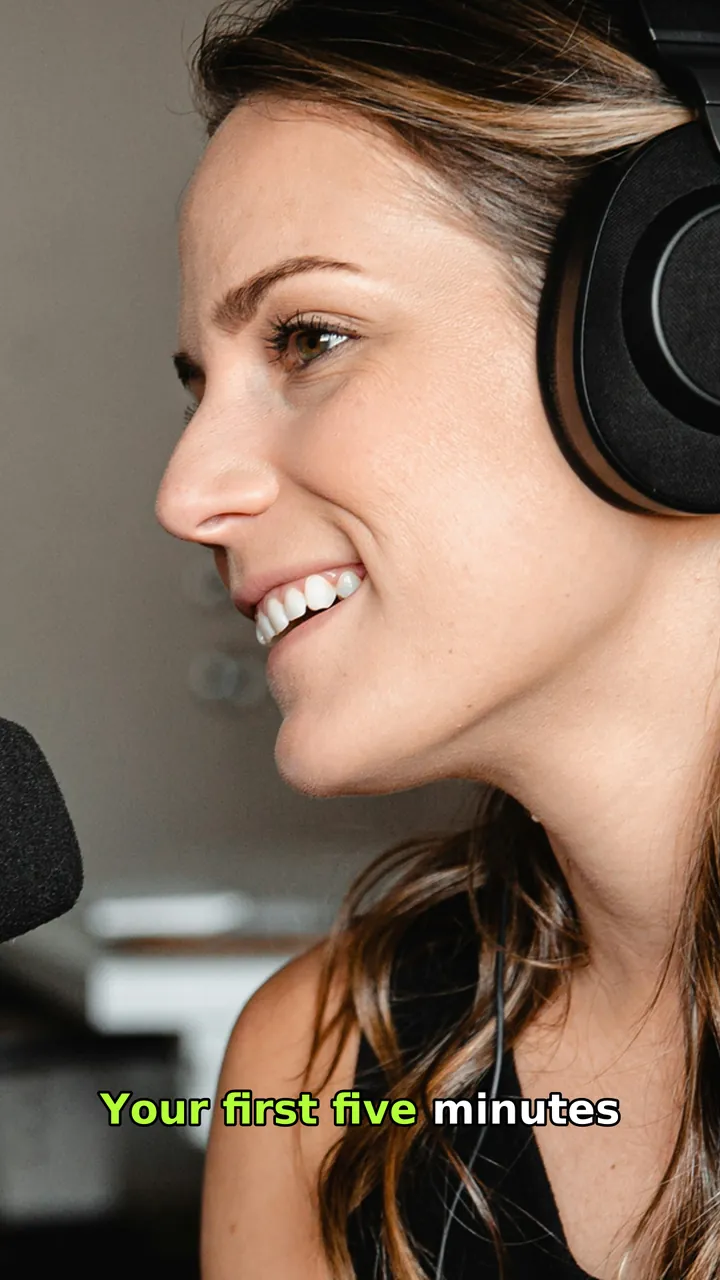


Example frames: licensed photographs put through Antenna's own framing and caption code. The words are examples.
- Up to ten clips a runLengths and framing follow each network: vertical for TikTok, Reels and Shorts, the original framing for LinkedIn.
- Captions on your keyTranscripts and captions use your own OpenAI key.
- Minutes by planVideo slicing starts on Solo with 60 minutes a month.
- 10clips at most from one recording, in a single run
- 60 to 1,250slicing minutes a month, from Solo to Agency
- 1 GB to 250 GBstorage for your media, from Free to Agency
Turn this week's recording into next week's clips. Slicing starts on Solo.

Reply from the right brand.
Instagram comments and mentions and WhatsApp messages arrive in one shared inbox, each tagged with its brand. Answer from that brand's account without signing in and out of client accounts.
- Tagged by brandEvery thread shows which brand it belongs to.
- Saved repliesThe answers you give often, ready when you need them.
- SnoozeSet a thread aside until you can act on it.
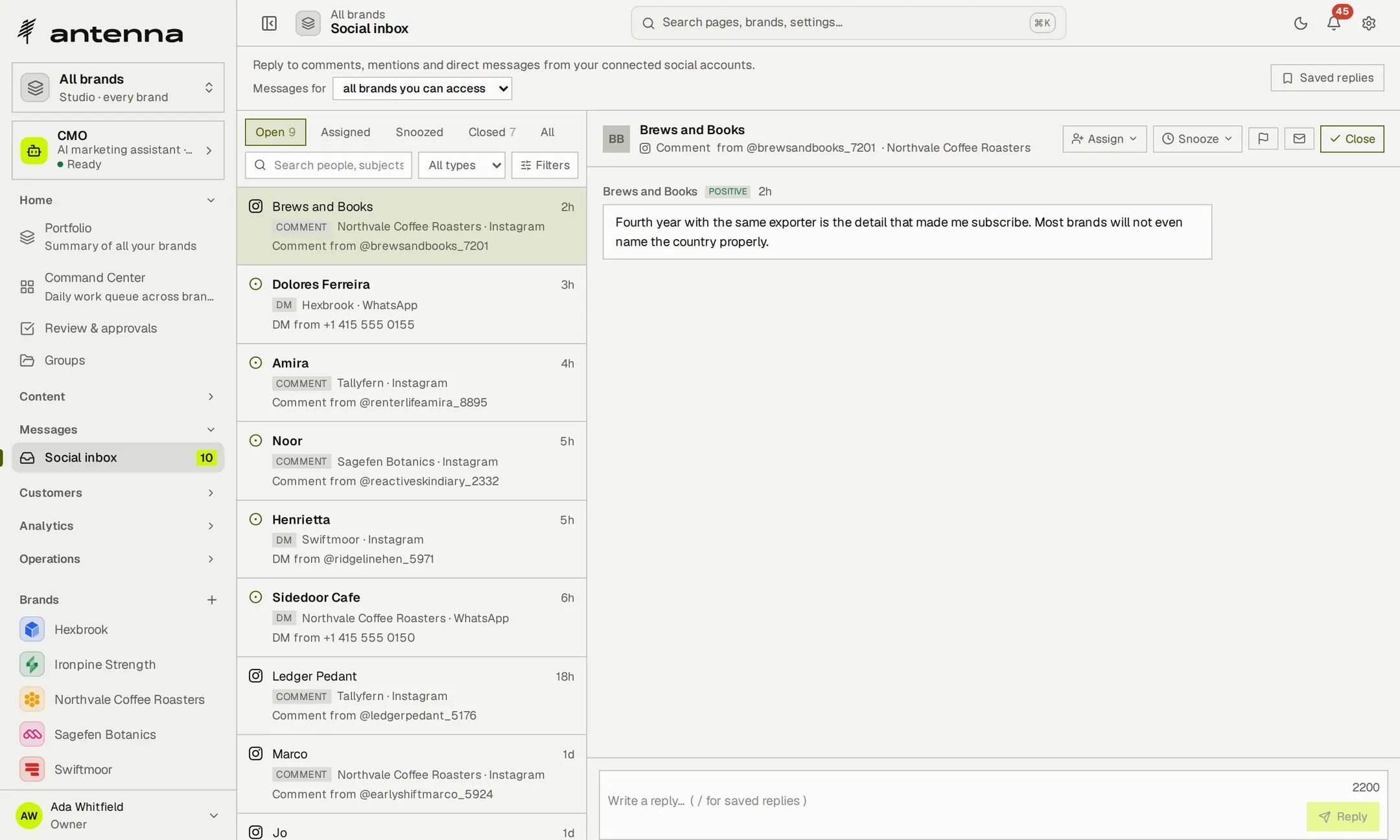
Give every conversation an owner.
Assign a thread to whoever handles the relationship, and leave a handoff note when it changes hands. The Messages overview lists every reply channel for a brand and shows what's open, unassigned and assigned to you.
- Assigned to meYour threads across channels, in one list.
- Notes that travelA handoff note stays with the conversation.
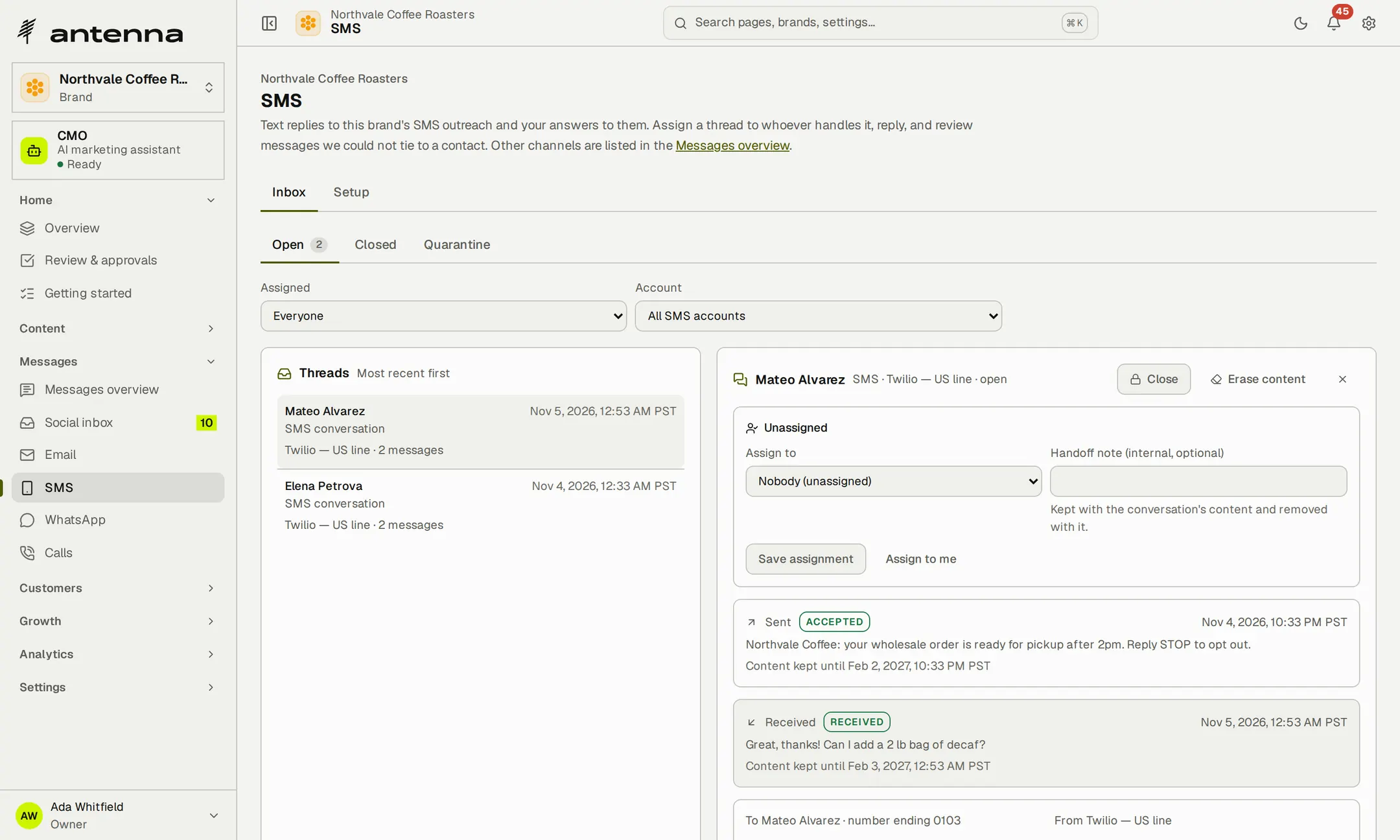
- 1shared inbox for Instagram comments and WhatsApp messages across all your brands
Every conversation tagged with its brand, and an owner for each.
Understand what customers are saying.
Collect each brand's feedback from reviews, support tickets, surveys and social, entered by hand or sent from your own systems. Antenna sorts it by type and sentiment and, when you ask, turns it into trends, a reputation score and a digest.
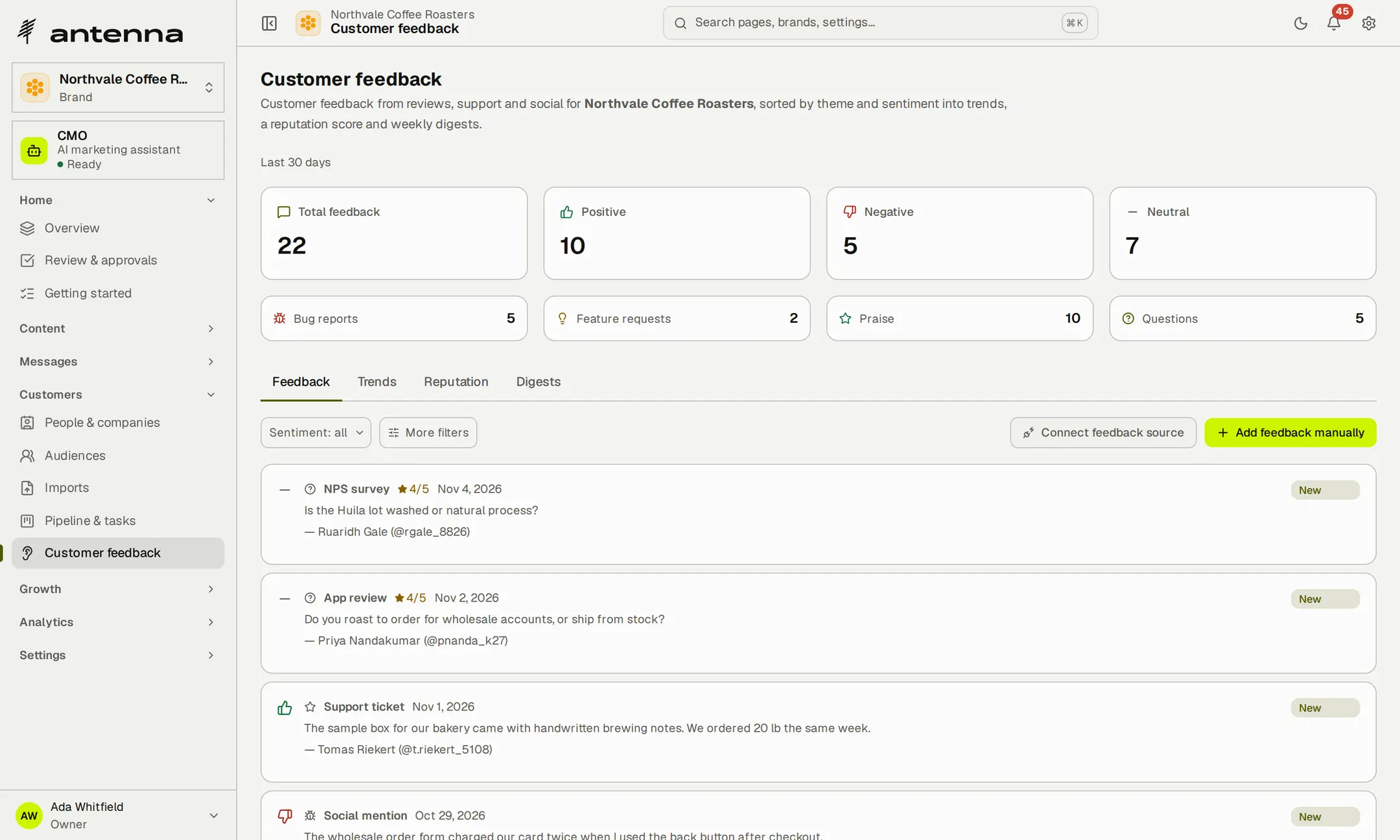
- Sorted for youBugs, feature requests, praise, complaints and questions.
- Trends over two weeksSee which themes are growing before they become a pattern.
- Kept per brandEach brand's feedback stays with that brand.
Know which competitors are named instead of you.
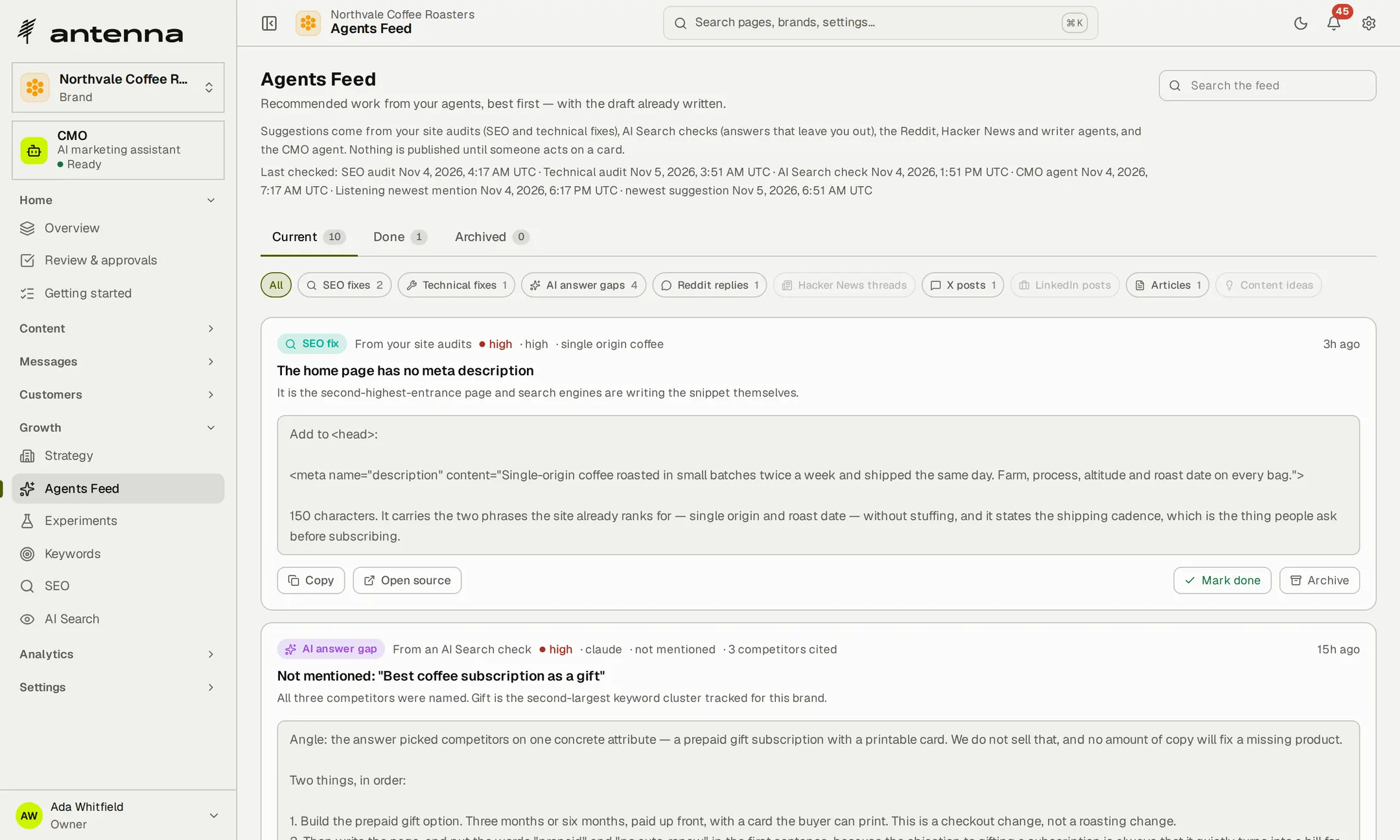
Antenna drafts a competitor analysis when you add a brand and keeps a list of competitors you can edit. When Claude recommends rivals for a question your buyers ask, the gap arrives as a card naming them, with an angle for your answer already drafted.
- Rivals in contextSee which names an AI assistant gives in your place.
- A landscape to start fromThe competitor analysis is drafted from the brand's website, ready for you to edit.
Check the websites behind your brands.
Add a monitor for each site. Antenna records whether it answered, how fast and when its SSL certificate expires, and opens an incident after three failed checks in a row. Alert rules watch each brand's engagement, followers, impressions and sentiment.
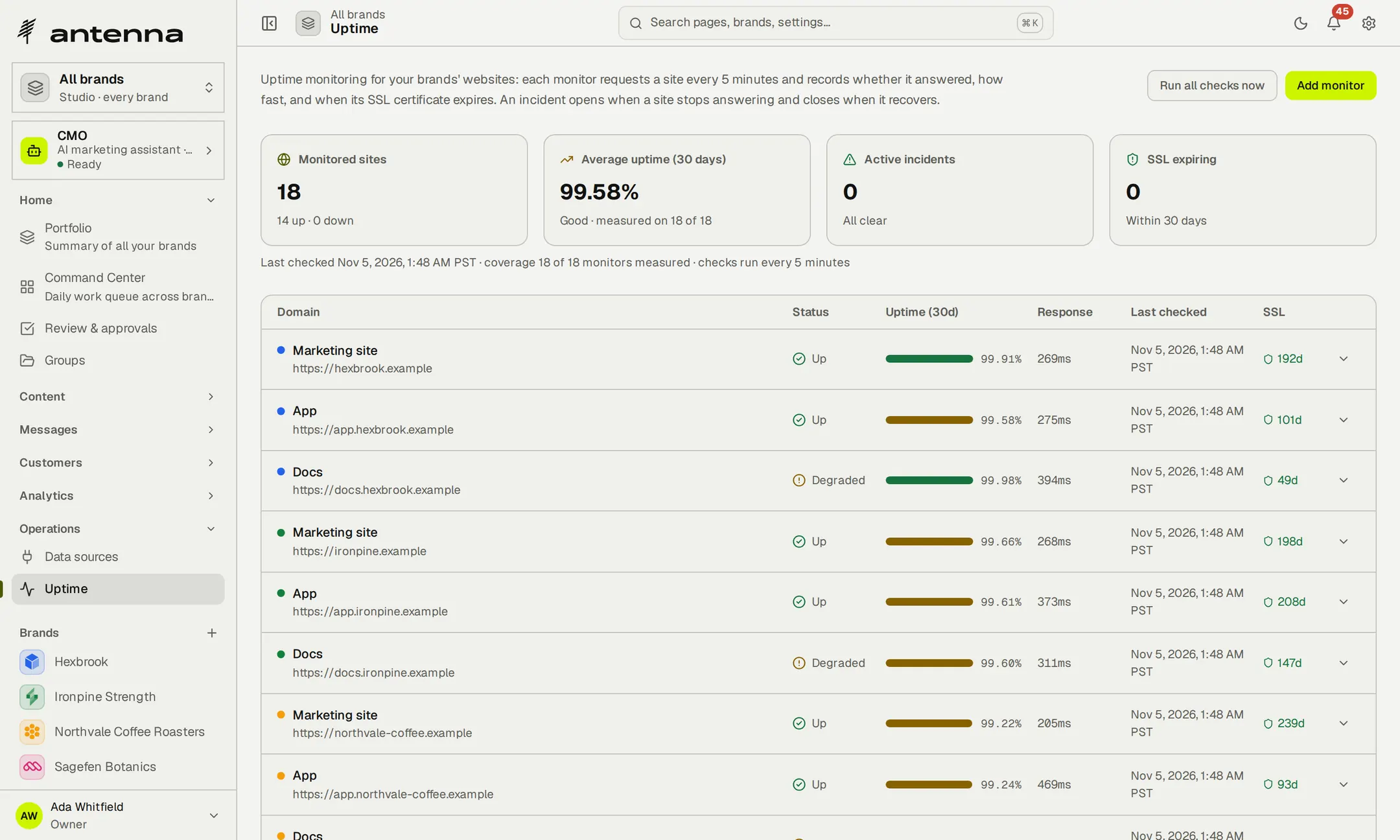
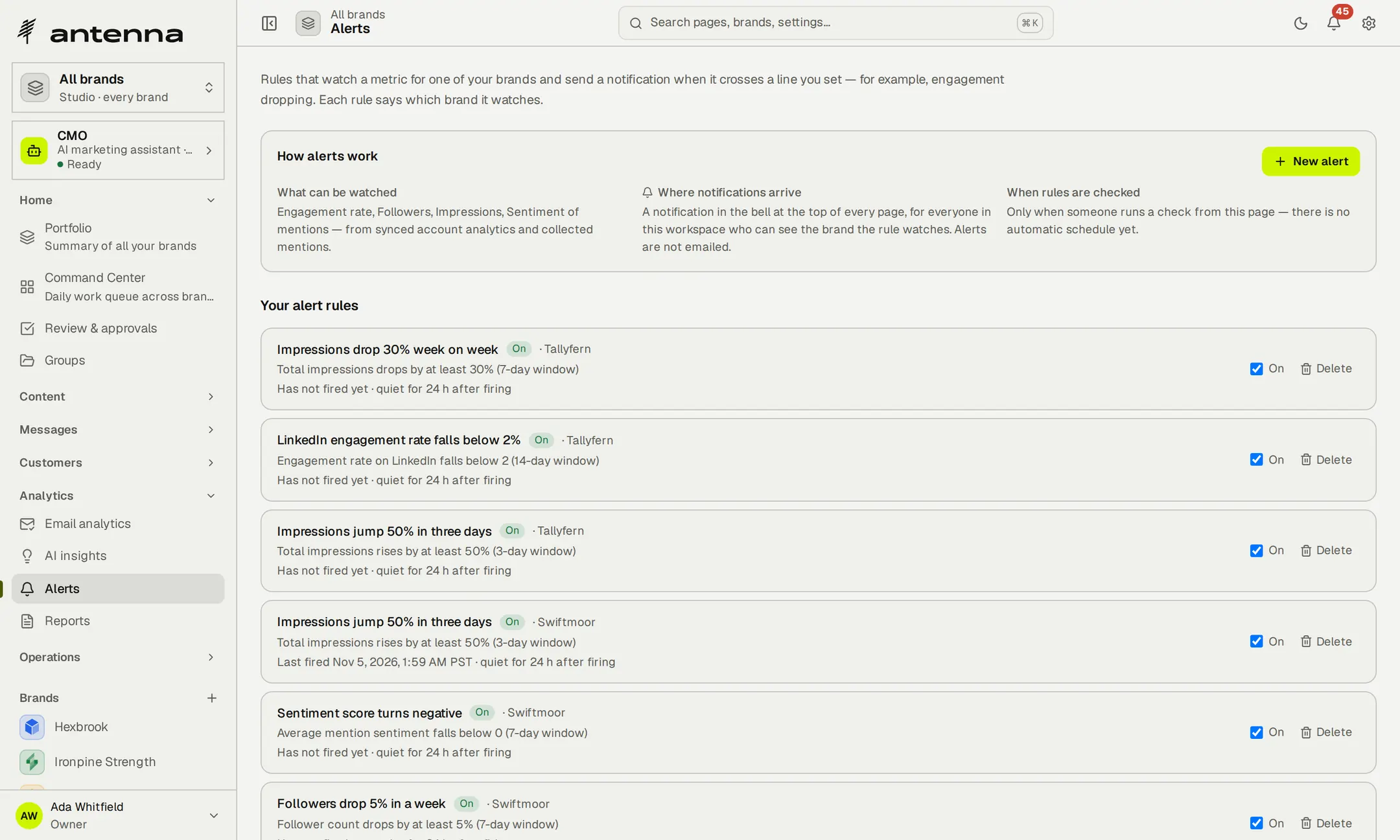
- Incidents that close themselvesWhen the site recovers, the incident is resolved.
- Alerts in the appA crossed line becomes a notification for everyone who can see that brand.
- Check on demandRun every check at once whenever you want a fresh reading.
- 14 daysof feedback trends, so a growing theme stands out
- 3failed checks in a row open an incident
- 1 to 50uptime monitors, from Free to Agency
Hear what customers say, and know when a site stops answering.
Share links you can measure.
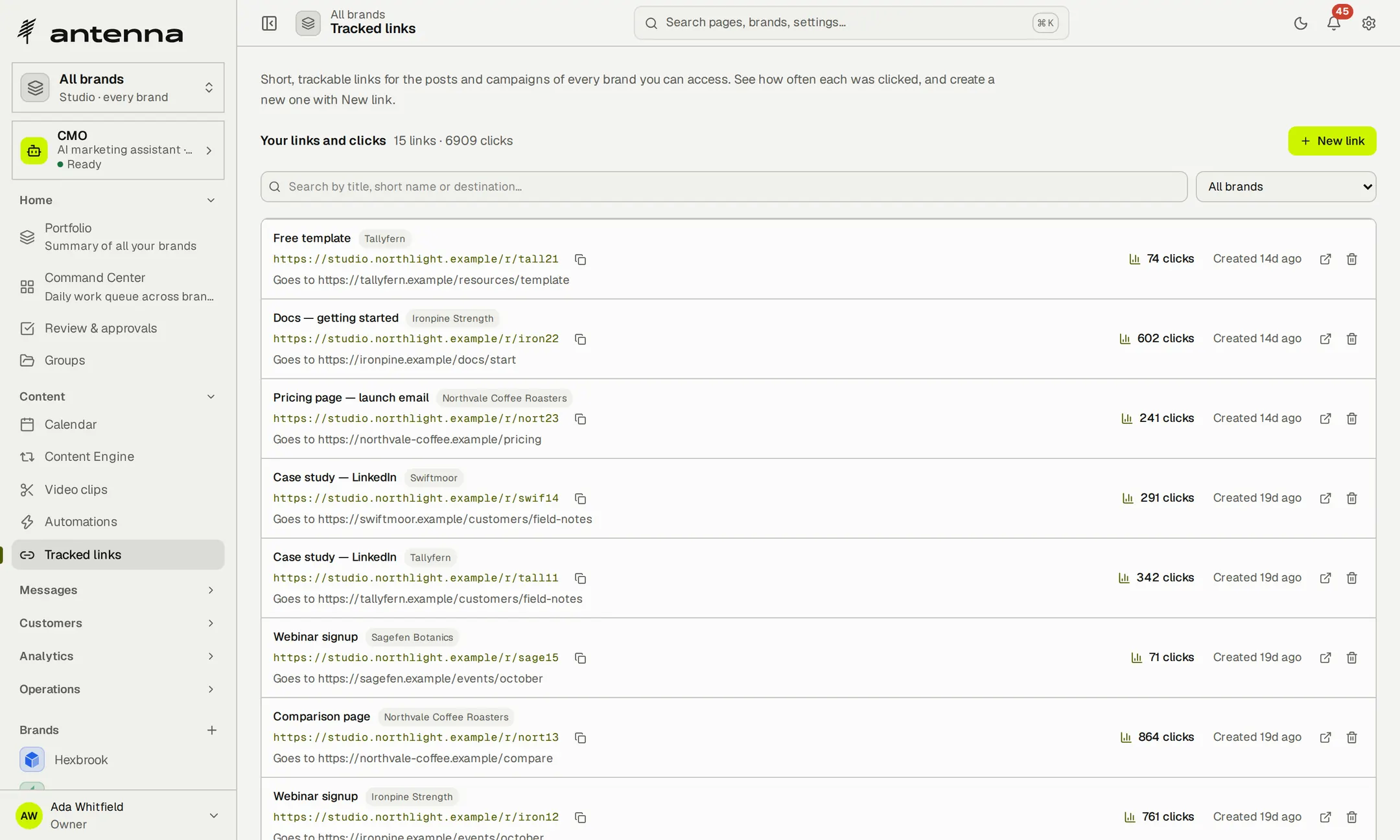
Create short links for each brand's campaigns, add campaign tags with the UTM builder and see how often each link was clicked. A log of recent clicks shows where visits came from.
- Built for campaignsA preview of the tagged address as you build it.
- Links that endGive a link an expiry date when the campaign does.
Understand search performance.
Connect each brand's Google Analytics property and Search Console site with read-only access. Sessions, users, pageviews, top pages and the search queries bringing people in sit beside the marketing that led to them.
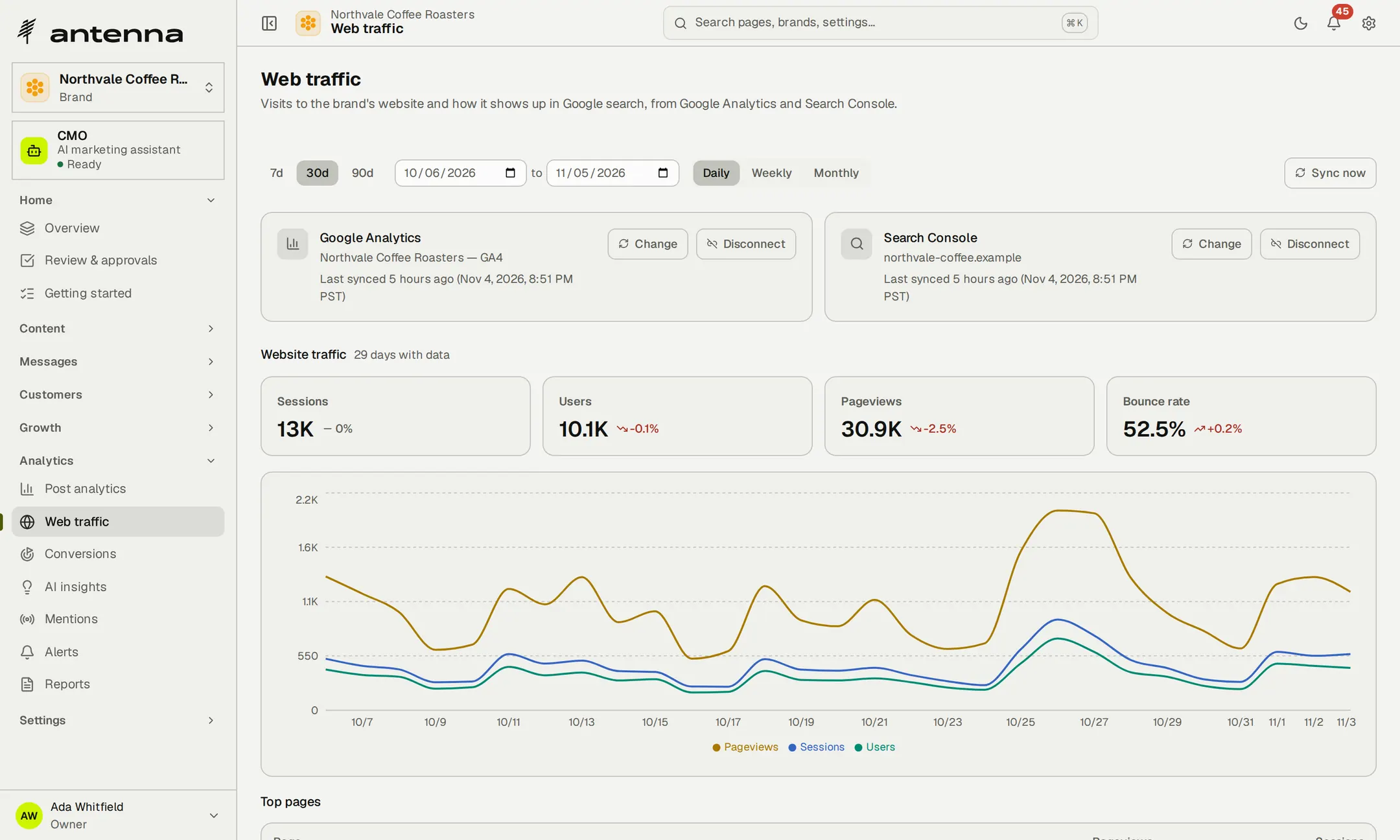
- Read-onlyAntenna asks for read access only, and disconnecting takes one click.
- Synced every dayOr straight away, whenever you press Sync now.
- Pages and queries togetherClicks, impressions, click-through rate and average position.
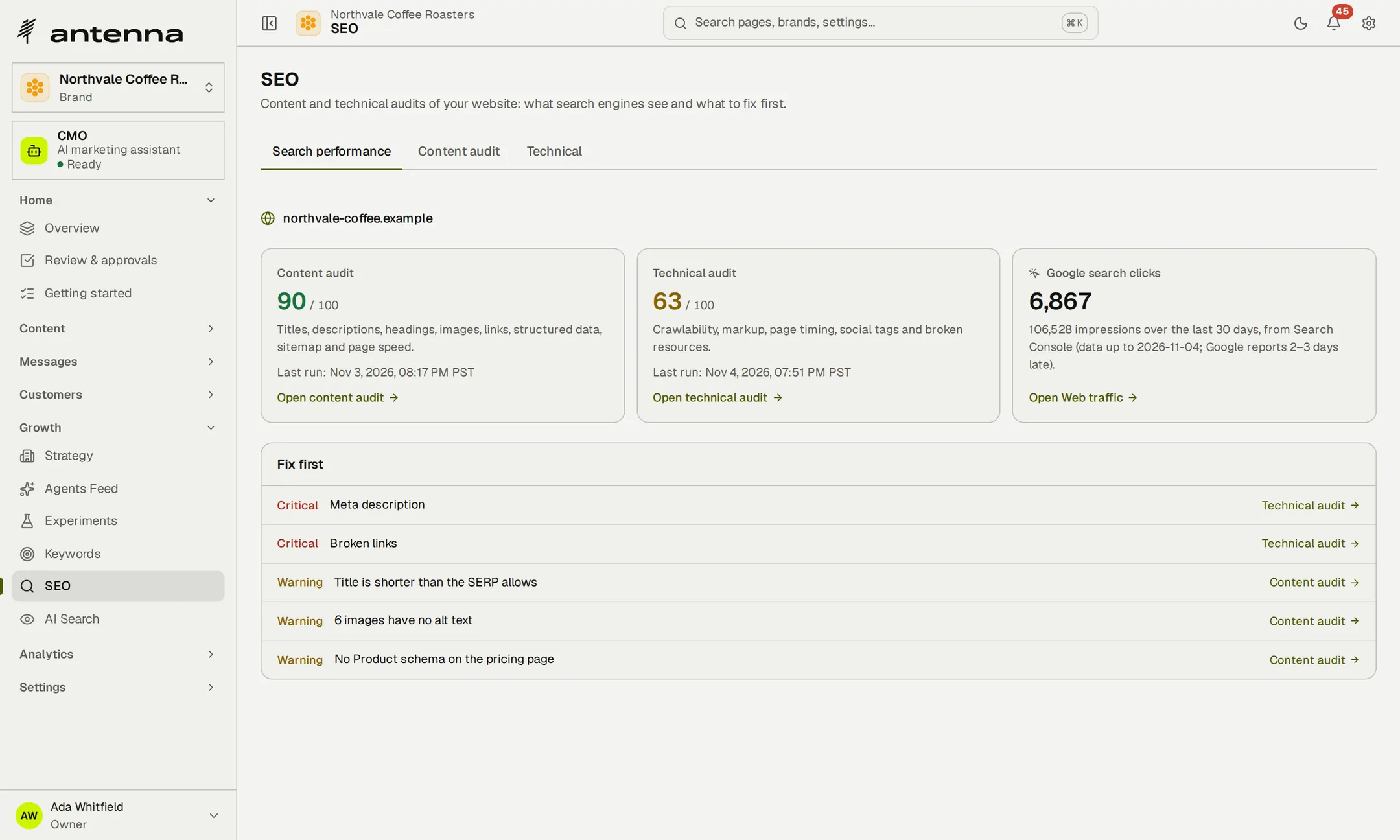
Find the website issues worth fixing.
Antenna audits the brand's home page the way search engines read it: titles and descriptions, headings, canonical tags, social cards, image alt text, broken links, render-blocking resources and page speed. Problems are ranked, so you know what to fix first.
- Core Web VitalsRead from PageSpeed Insights where it answers.
- No guessingA check Antenna can't run is marked as not observable, not scored.
- Your site, your changeAntenna reports and drafts; it never edits your website.
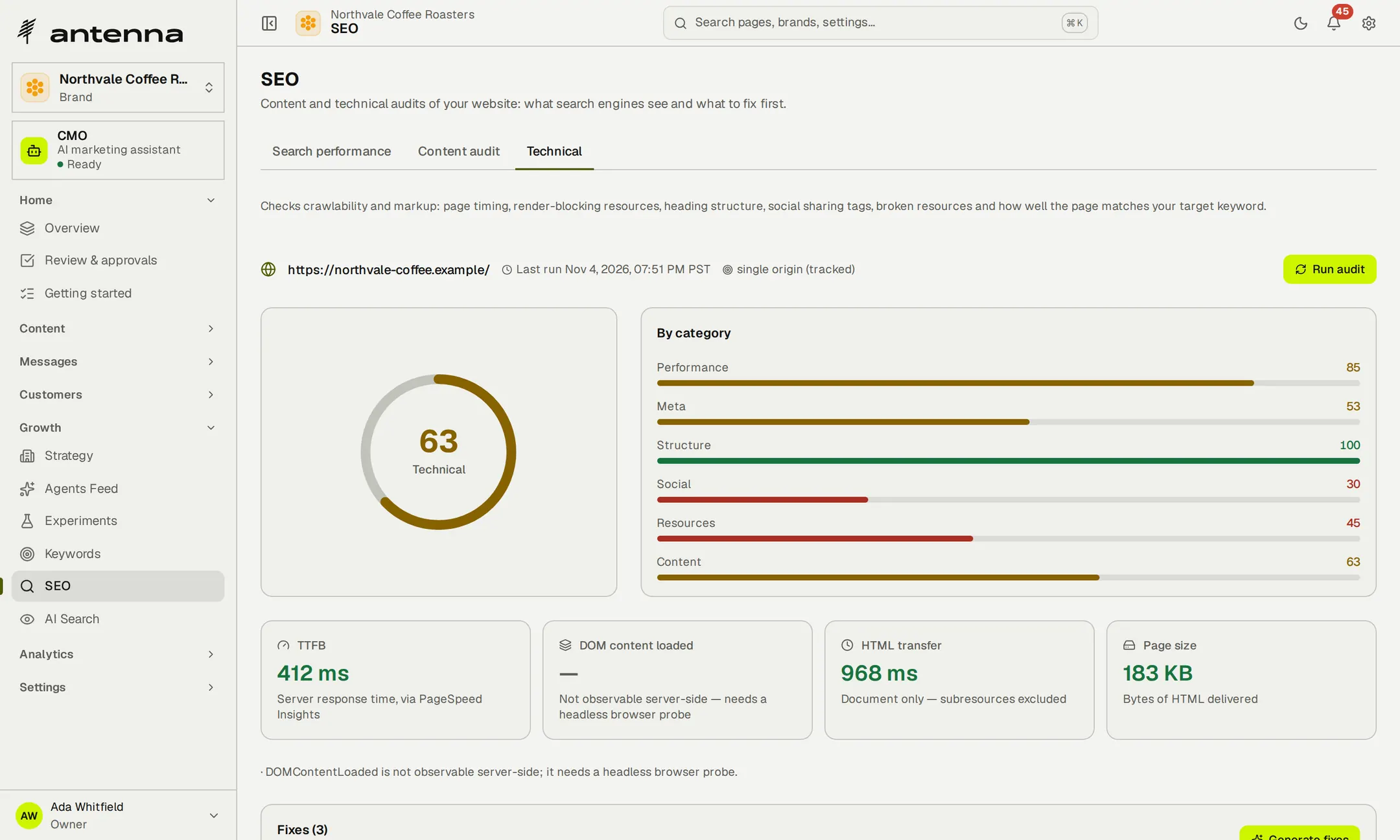
- 25checks on the brand's home page across six areas, ranked by what to fix first
See what search engines see, and what to fix first.
Make your pages easier for search and AI to read.
Fix cards carry the corrected value, not a description of it: a new title, meta description, heading or alt text written on your AI key, and corrected social and canonical tags. Antenna also lists the structured data the site is missing, drafts an llms.txt and scores how readable the site is to AI assistants.
- Ready to pasteCopy the corrected tag straight into your site.
- Structured data, checkedOrganization, Product, FAQ, HowTo, Article and breadcrumbs, found or missing.
- An llms.txt to start fromDrafted from the brand's profile, for you to publish.
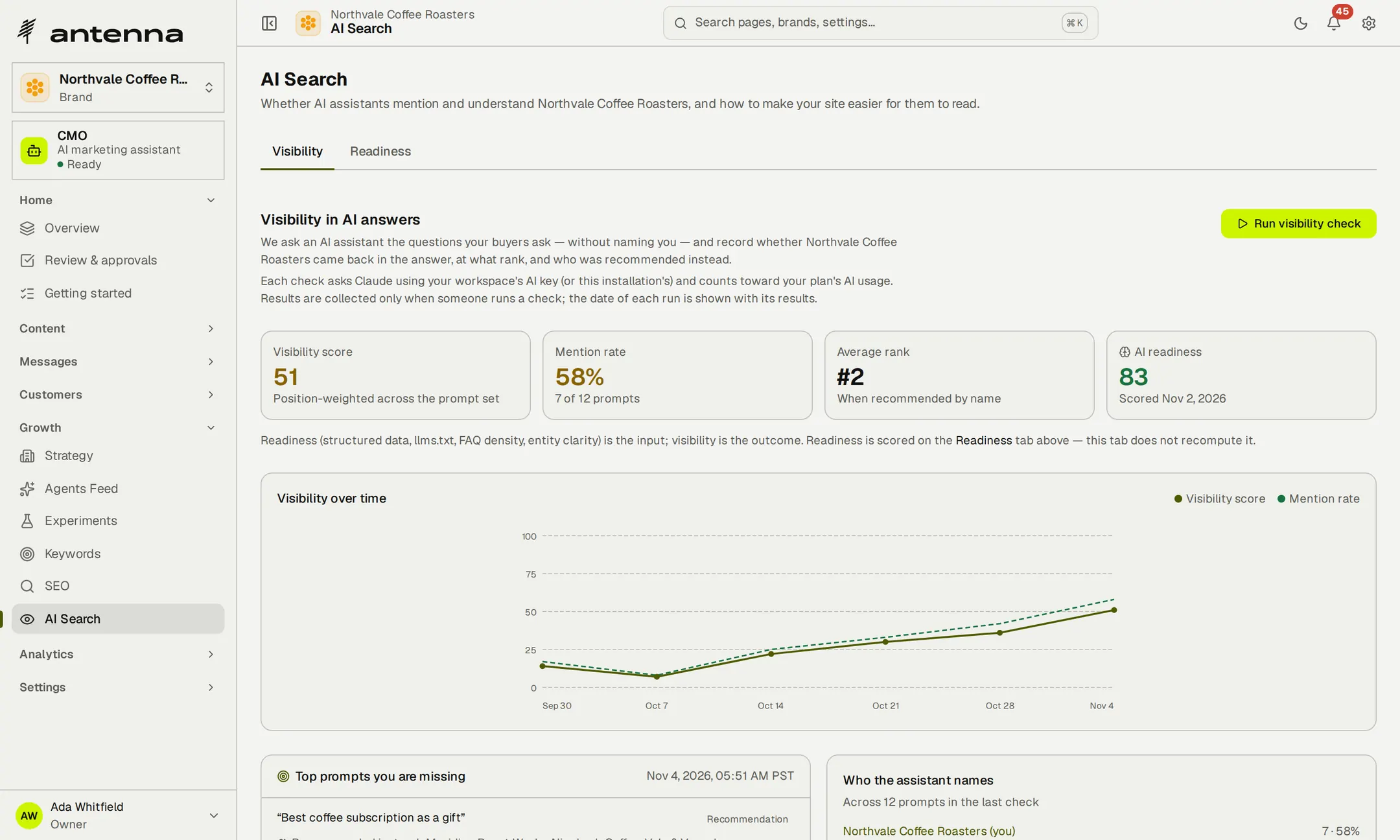
See how the brand appears in AI answers.
Antenna asks Claude the questions your buyers ask, without naming you, and records whether the brand comes up and at what rank, so you can watch the brand's visibility change over time. Every question you're missing becomes a suggestion in the feed.
- Claude, and it says soChatGPT, Perplexity and Google AI are shown as not measured.
- Recall, not browsingAnswers come from the model's training, so cited sources are marked as recalled.
- On your own keyRun a check whenever you like with your Anthropic key.
Write for places beyond the social feed.
Antenna's writing agents draft blog articles, Reddit replies and Show HN posts for each brand and leave them in the feed. You edit them and post them from your own accounts, which keeps the brand welcome in those communities.
- Full articles800 to 2,000 words, never an outline dressed up as a post.
- Nothing posts itselfAntenna holds no Reddit or Hacker News account.
- 800–2,000words in each drafted article
- 6kinds of structured data checked on your pages
Be easier to find in search and in AI answers.
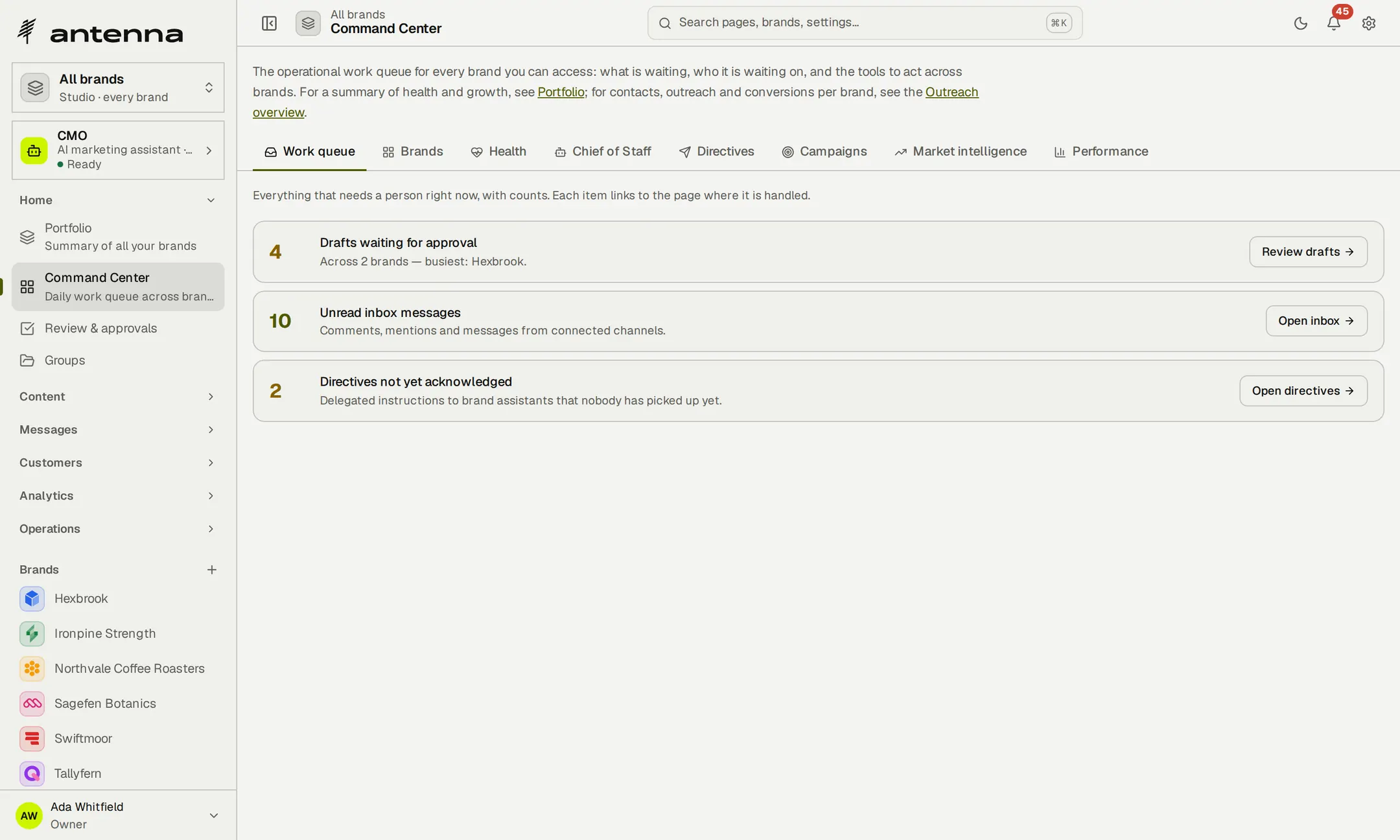
Start the day with the work waiting for you.
The Command Center's work queue counts what needs a person across every brand you can open—drafts waiting for approval, unread messages and instructions nobody has picked up yet—and links each item to the page where it's handled.
- Across your brandsHealth, campaigns and performance on tabs beside the queue.
- Suggestions, best firstEach brand's agents feed ranks what to do next, with the draft already written.
Work with an assistant that has read the brand's file.
Ask the CMO assistant about a brand and the answer draws on its strategy documents, metrics and open opportunities. Pin a report or a feed card and it reads only that. Figures are calculated first and shown beside the answer, so you can check them.
- A rundown when you askWhat the agents found, what moved and what needs you.
- Your access, never moreIt can do only what the person asking can do.
- On your Anthropic keyBilled by your provider, never marked up.
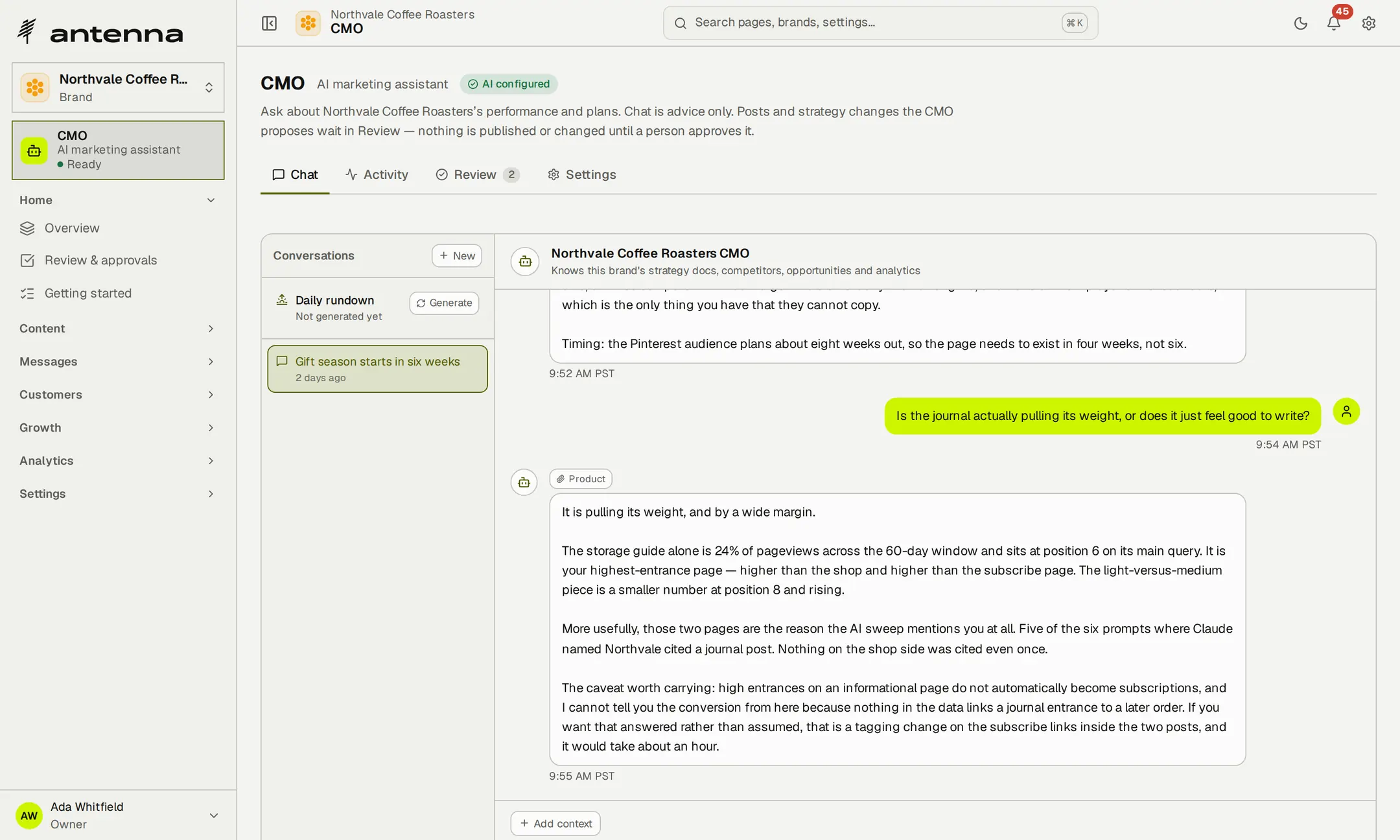
An example conversation in a workspace of fictional brands.
- 1work queue across every brand you can open
Start each day with what needs you, and an assistant that has read the brand's file.
Turn an idea into a draft, then decide.
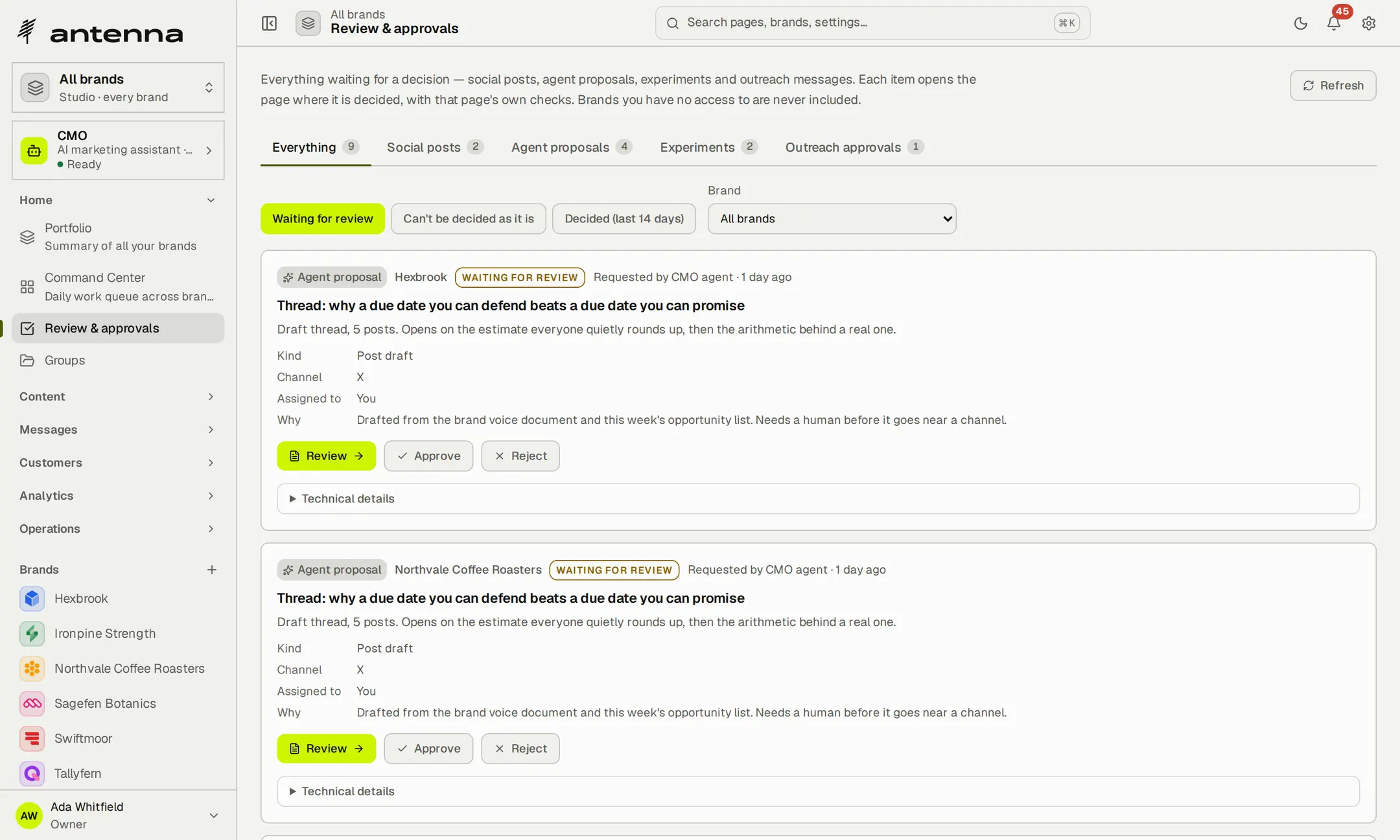
Ask an assistant for a post, or let the agents propose one. Their work arrives in Review as a proposal that says who drafted it and why, and stays there until a person approves, edits or rejects it.
- Suggested is not approvedAn agent's draft never approves itself.
- Approval where you need itOn brands that require approval, nothing publishes without a person.
Connect your own AI tools.
Antenna includes an MCP server, so Claude or another MCP client can work with your brands, posts, calendar, analytics and review queue. Sign in with OAuth or use an API key: the connection has only the permissions you give it, and approval rules still apply.
The connection covers publishing and planning. Customer records, outreach, the inbox and the audits are worked in Antenna itself.
For developers Connect through MCP and the REST API.
MCP server: https://app.antenna.sh/api/mcp — sign in, or use an API key from Settings.
REST API: https://app.antenna.sh/api/public/v1 — posts, brands, channels, analytics and media with the same key.
Conversion events: https://app.antenna.sh/api/ingest/v1/events — sign-ups, meetings and purchases from your site or backend.
- Posts and content — draft, schedule, generate and import posts
- Brands and portfolio — compare brands and check portfolio health
- Calendar — find the next free slot, spot conflicts and export the calendar
- Review queue — list, assign and review waiting items
- Monitoring — mentions, trends and digests
- Competitors and exports — competitor lists and post exports
- 0approvals by an API key on brands that require review
Let your own AI tools draft and plan, with your approval rules in charge.
Keep each brand's customers in its own workspace.
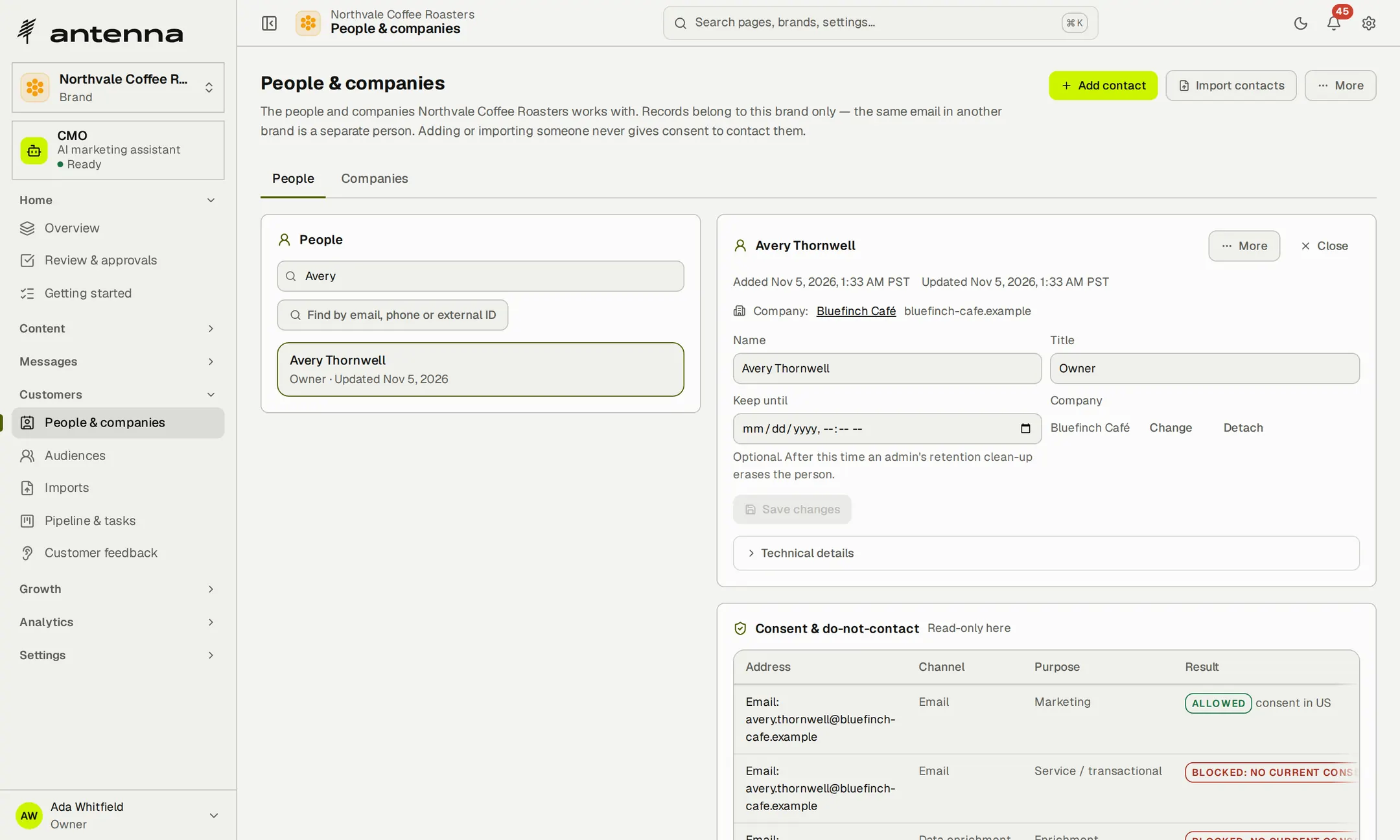
People and companies belong to the brand that works with them; the same email under another brand is a separate person. Import a spreadsheet or add people by hand, and see each person's company, title and permission records together.
- Imports that scaleUp to 10,000 rows in a file.
- Adding isn't permissionImporting someone never gives consent to contact them.
- Exports kept closeExporting a brand's customer records needs administrator or Manage access.
Build the right audience.
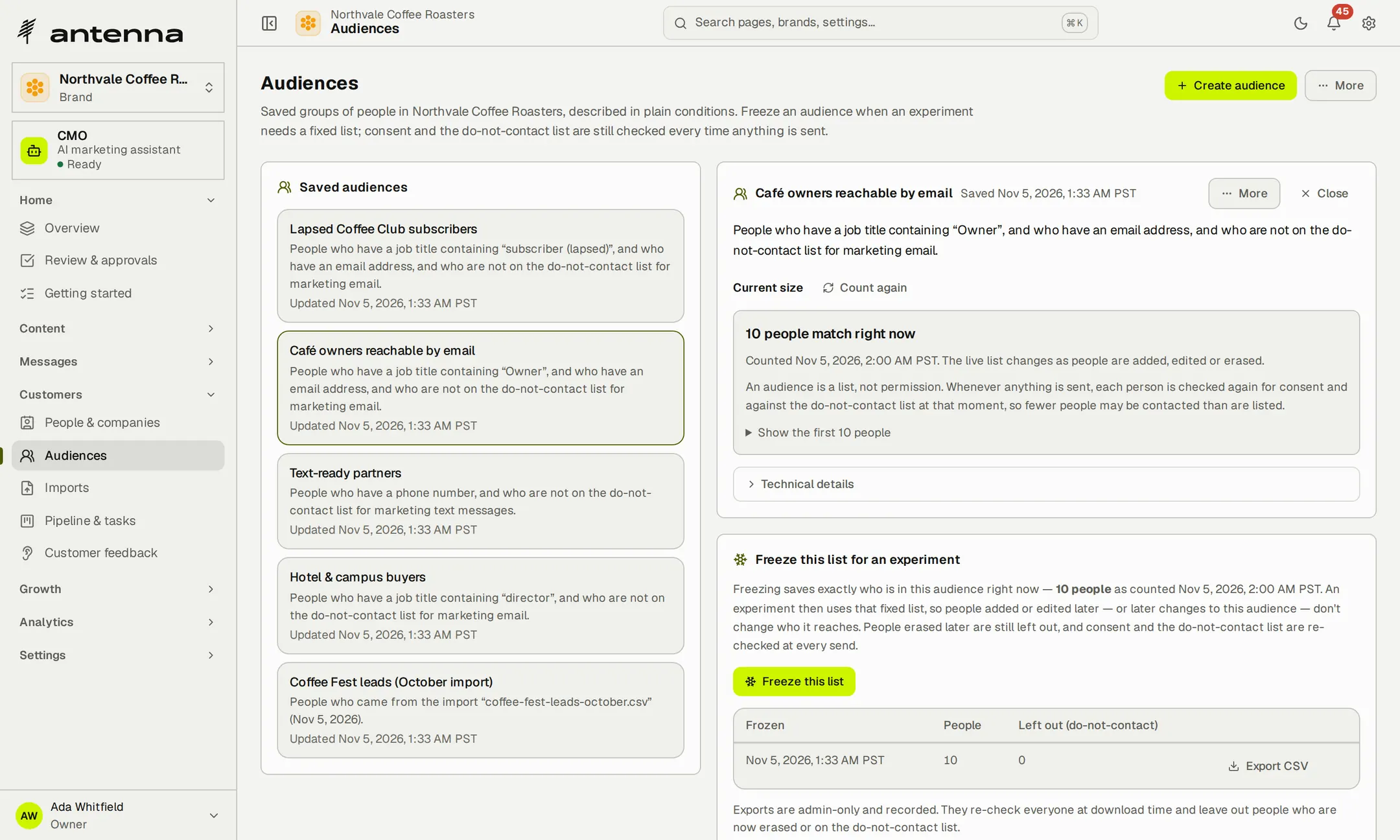
Describe an audience in plain conditions—title, company, source, whether people have an email address or phone number, and who isn't on the do-not-contact list—and see who matches. Freeze it when an outreach plan needs a fixed list.
- Conditions you can readEach audience is written out as a sentence anyone on the team can check.
- Up to 10,000 peopleA frozen list stays fixed while consent is still checked at every send.
Keep permission records close to the customer.
Record consent for each channel, purpose and region, with the evidence behind it. Unsubscribes, bounces, complaints and STOP replies add people to the do-not-contact list automatically, and every message checks consent, sending hours, attempt limits and budget before it goes.
- Evidence with every recordEach consent entry notes what was agreed, for which channel and purpose, and how you know.
- Checked when it mattersA permission that has lapsed stops the message, even after the plan was approved.
- 10,000people in a single import
- 12plain conditions to describe an audience
Know who you can contact, and why.
Keep email domains and mailboxes organised.
Import a brand's sending domains and mailboxes from a spreadsheet and see which are ready to send and why the others aren't. Antenna looks up each domain's SPF, DKIM, DMARC and MX records without changing your DNS, and every sender has a daily limit and a sending window.
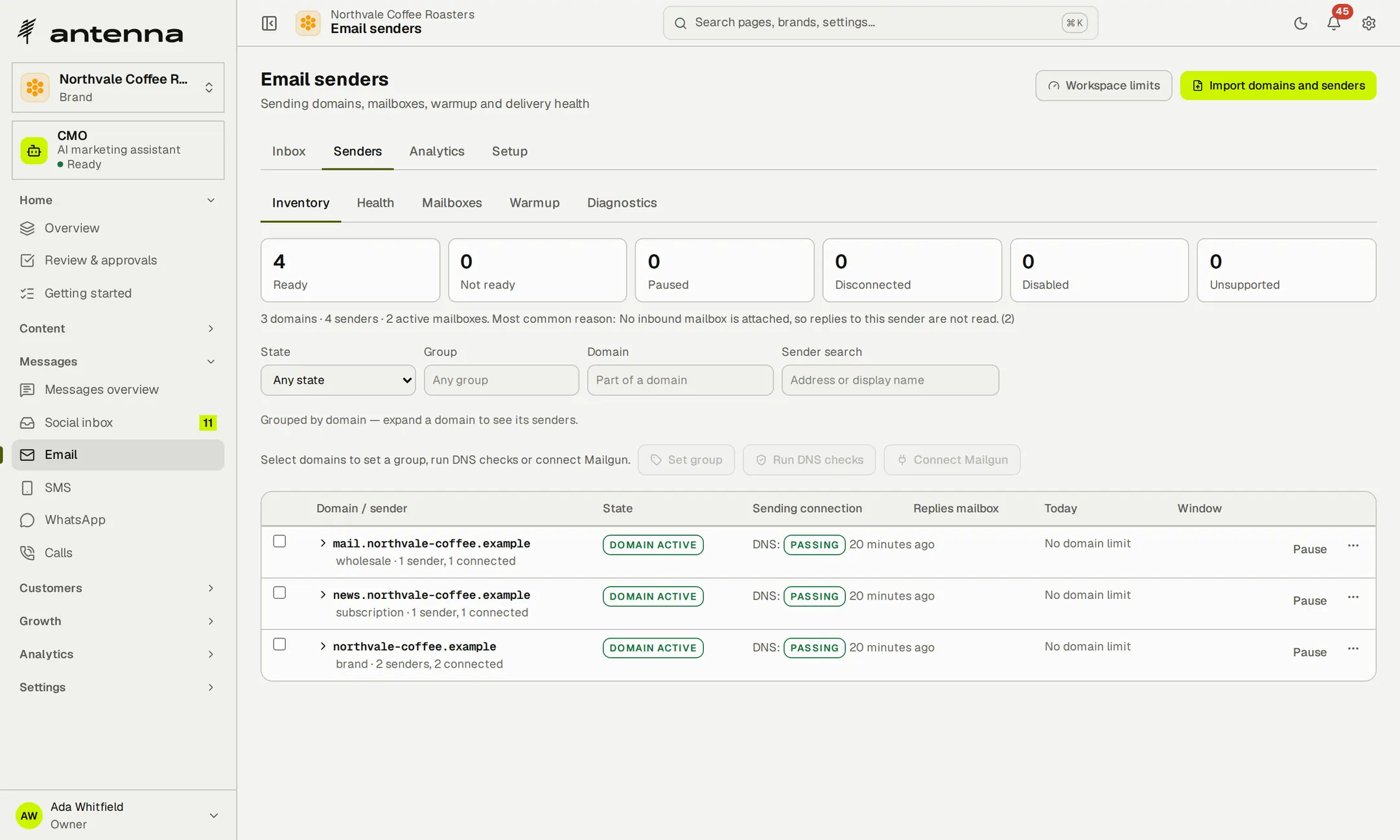
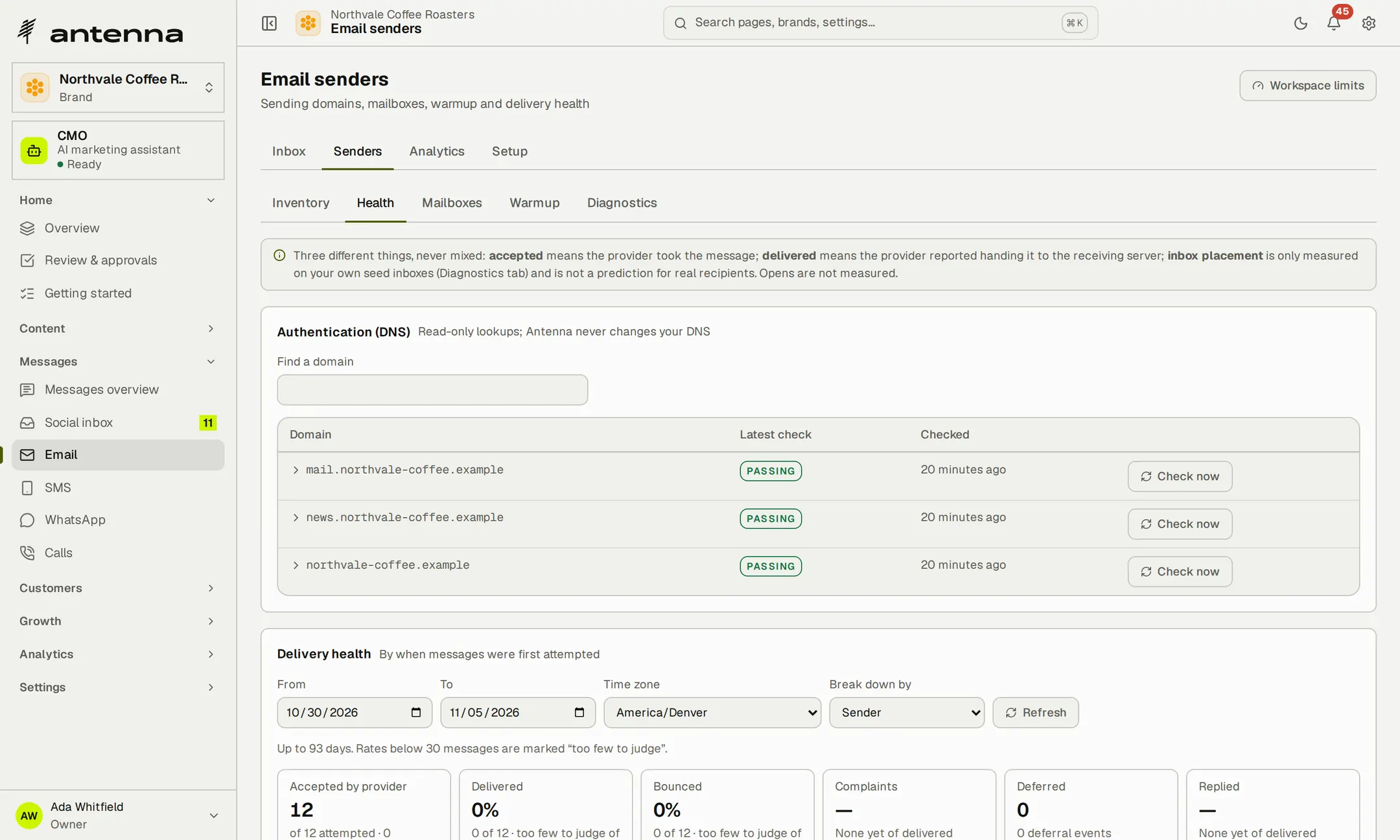
- Read-only DNS checksA check it couldn't run shows as unavailable, never as failed.
- Paced sendingHourly and daily caps, and a gap between messages.
- Numbers kept apartAccepted, delivered and bounced are never mixed, and opens aren't measured.
Plan email outreach step by step.
Write a short sequence of up to ten steps: send, wait, then branch on whether someone replied or converted. Messages go out from a pool of the brand's own mailboxes, replies come back into the thread, and a reply, unsubscribe, bounce or complaint ends the sequence for that person.
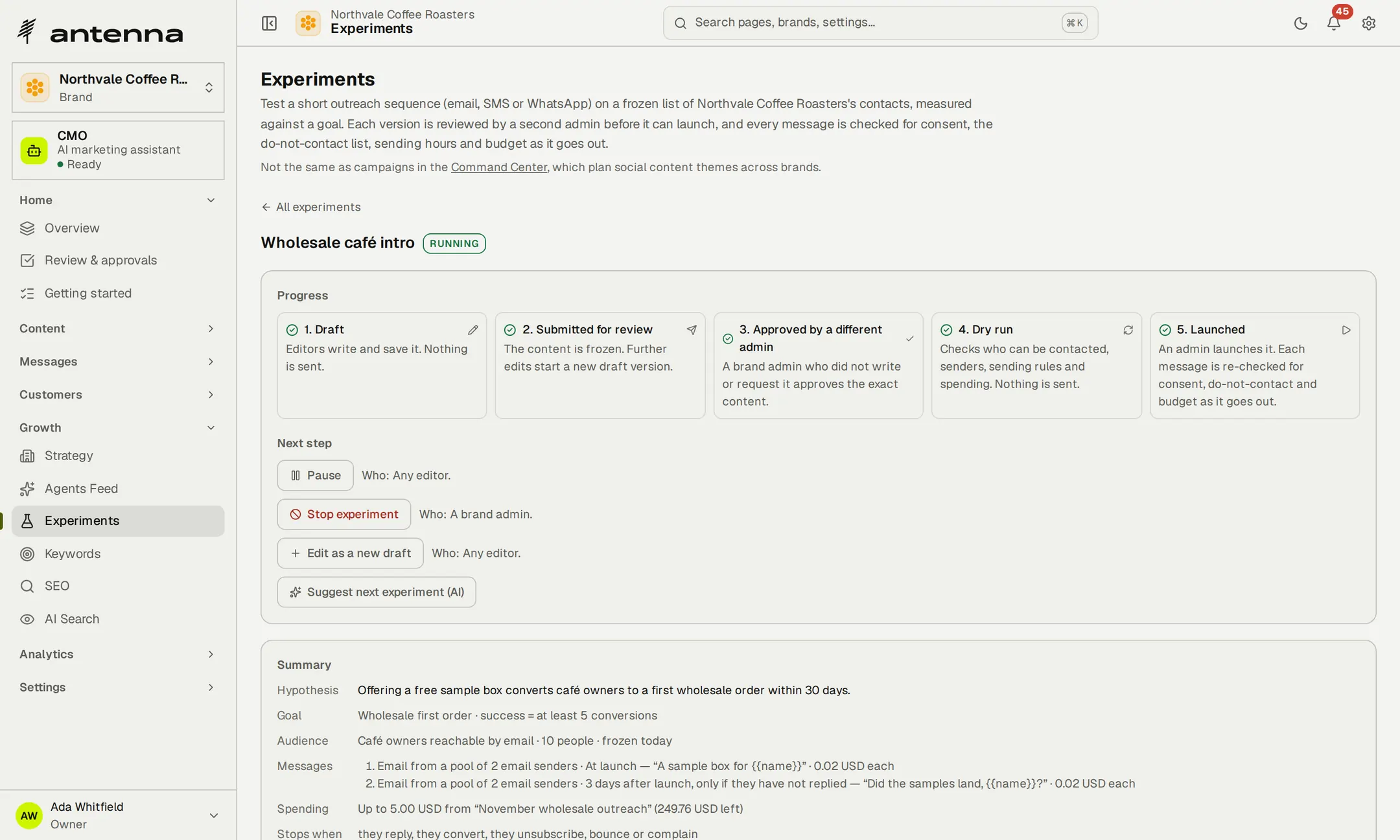
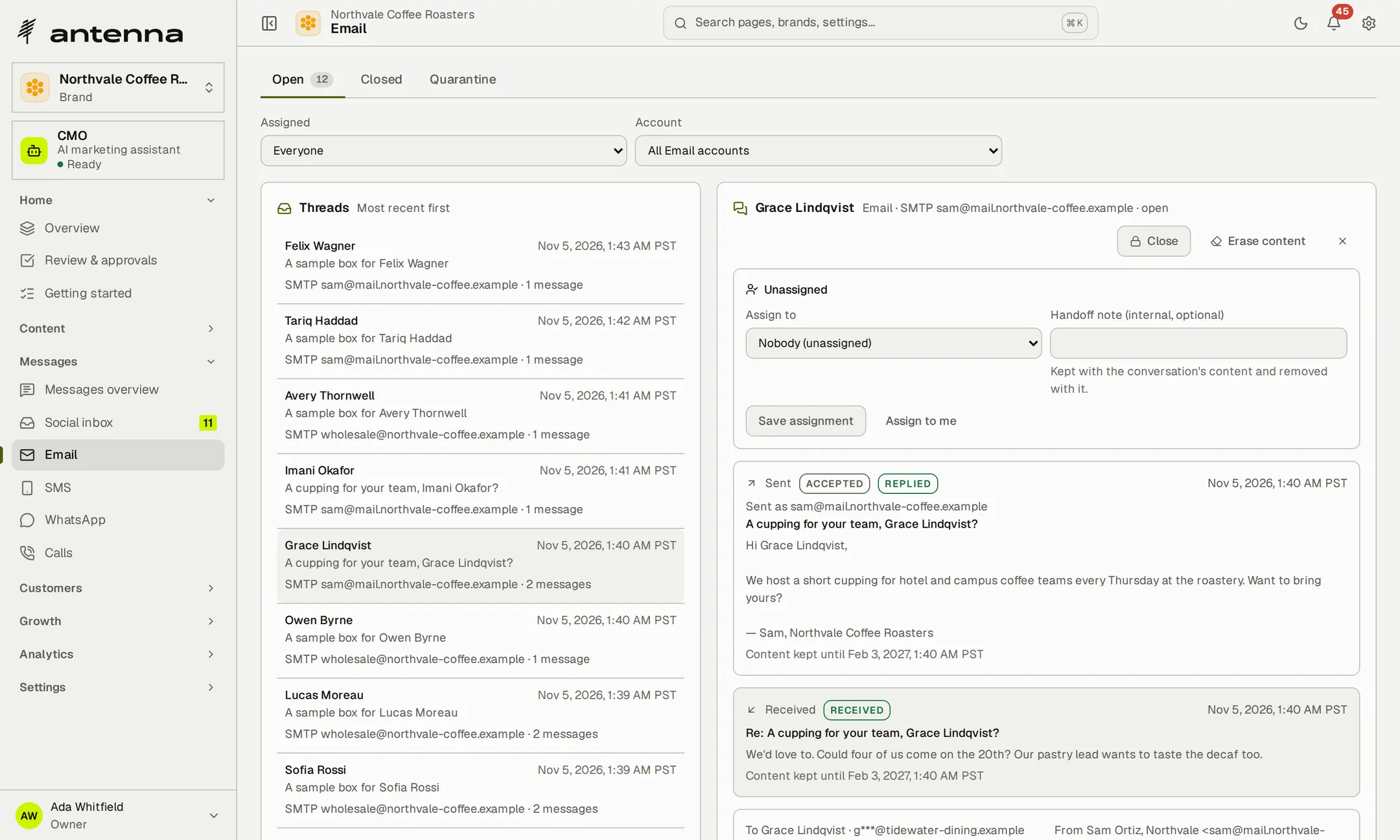
Example records in a workspace of fictional brands.
- Your own mail providerSend through your email provider or your mail host's SMTP.
- Replies in the threadRead replies from your own mailbox and answer from the Email page.
- 10steps in a sequence, with waits and branches
- 20mailboxes in one sender pool
Outreach that stops for anyone who replies, unsubscribes, bounces or complains.
Reach people by SMS.
Connect the brand's own Twilio account and send texts as steps in an outreach plan or as replies in a thread, from the brand's own number.
- Cost before you sendSee who it's for, the number it comes from and the estimated cost against the budget left.
- STOP ends contactA STOP reply adds the person to the do-not-contact list automatically.
Example records in a workspace of fictional brands.
Continue the conversation on WhatsApp.
Connect the brand's WhatsApp Business account and answer customers in their own threads, with each conversation assigned to the person who handles it.
- The 24-hour window, respectedReply freely inside WhatsApp's customer-service window; outside it, only templates approved on your account.
- Nothing misfiledA reply Antenna can't tie to a contact waits in quarantine instead of landing in the wrong thread.
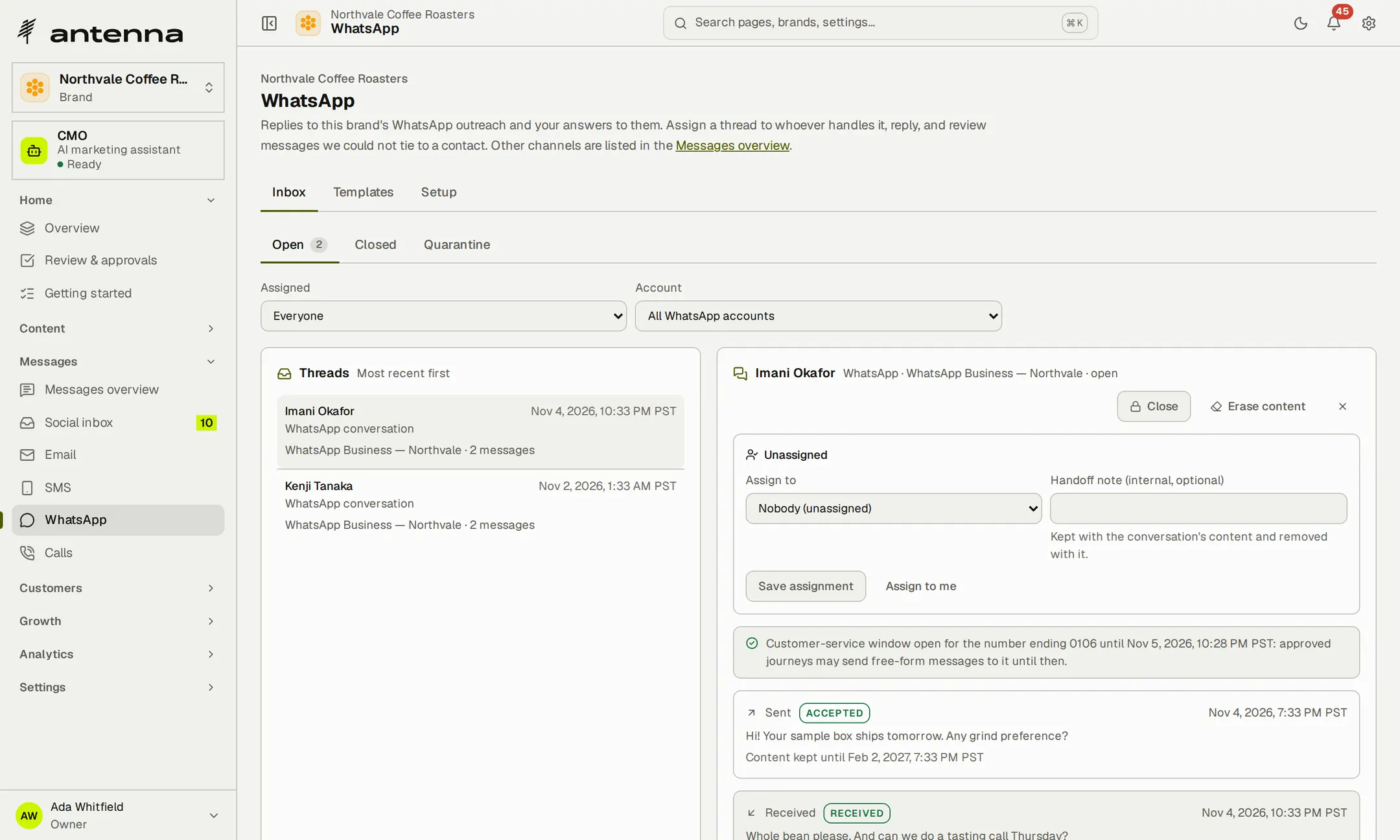
Example records in a workspace of fictional brands.
Make calls with the customer in view.
Pick a contact and the dialer shows the number you're allowed to call, the account it uses and the budget left. Antenna rings your phone or browser first, then connects the contact through your own Twilio or Telnyx account—one call at a time, placed by a person.
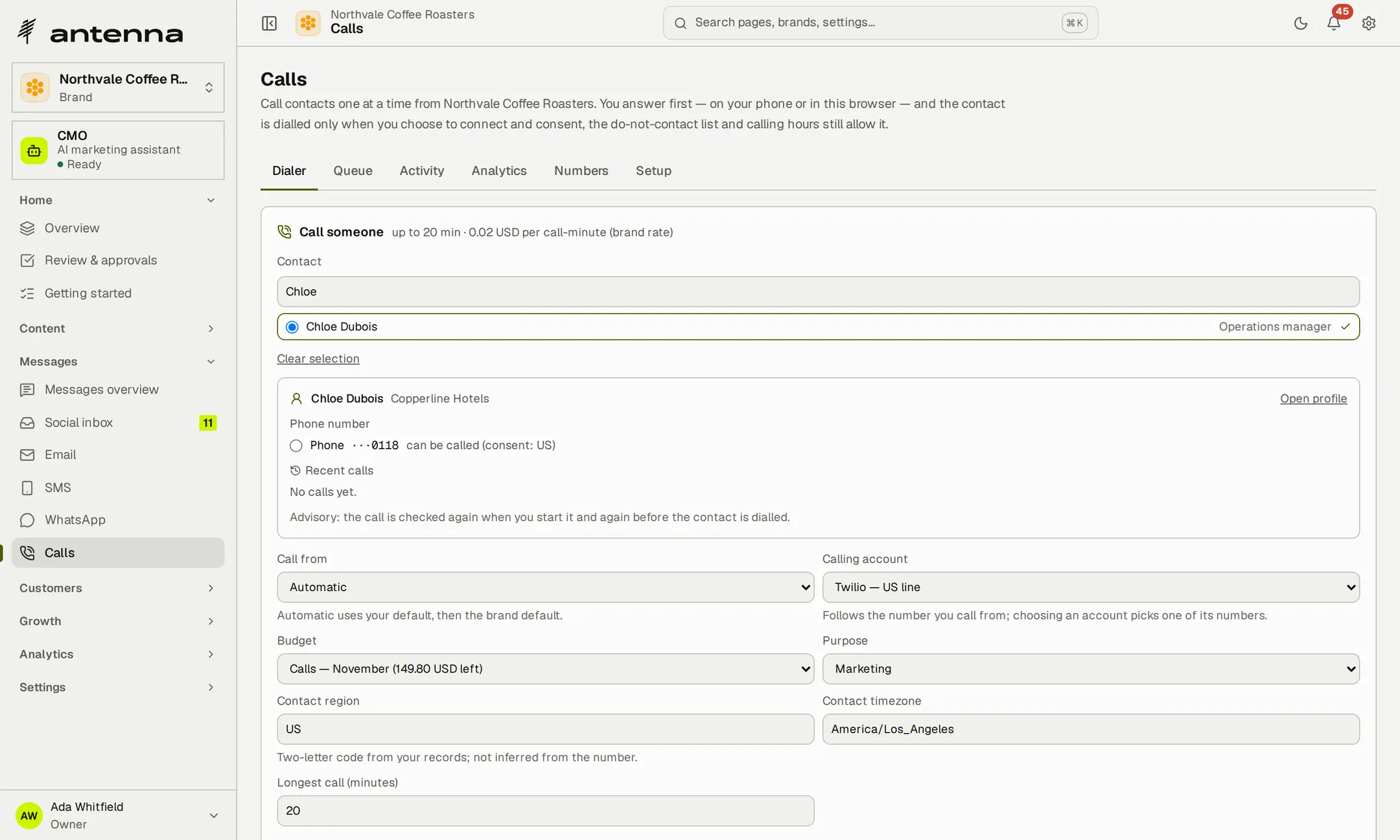
- Outcomes that lead somewhereA callback becomes a dated task; a booked meeting creates an opportunity.
- A record of every callEach call keeps its outcome, with your declared rate and the provider's charge kept apart.
- 0%markup on messages and minutes
- 24 hWhatsApp customer-service window, respected
SMS, WhatsApp and calls run on the brand's own provider accounts.
Give outreach a goal, a budget and a reviewer.
Set a hypothesis and a goal, freeze the audience, choose the steps and cap the spend. Someone with approval rights who didn't write or request the plan approves the exact content, and a dry run checks who can be contacted before anyone launches it.

- Open the brand's outreach plans.
- A plan waits for someone else to review it.
- Approved, the plan is ready to launch.
Recorded in Antenna, in an example workspace of fictional brands. The recording has no sound.
- Approval tied to the versionEdit after approval and it becomes a new draft.
- Stop it any timePause or stop, with who may do each shown on the page.
- Checked at send timeConsent, do-not-contact, sending hours and budget, for every message.
Take a promising reply through to a deal.
Track each brand's deals by stage, from lead to won or lost, with follow-up tasks that have an owner and a due date. Booked meetings create opportunities automatically, and a callback from a call becomes a task.
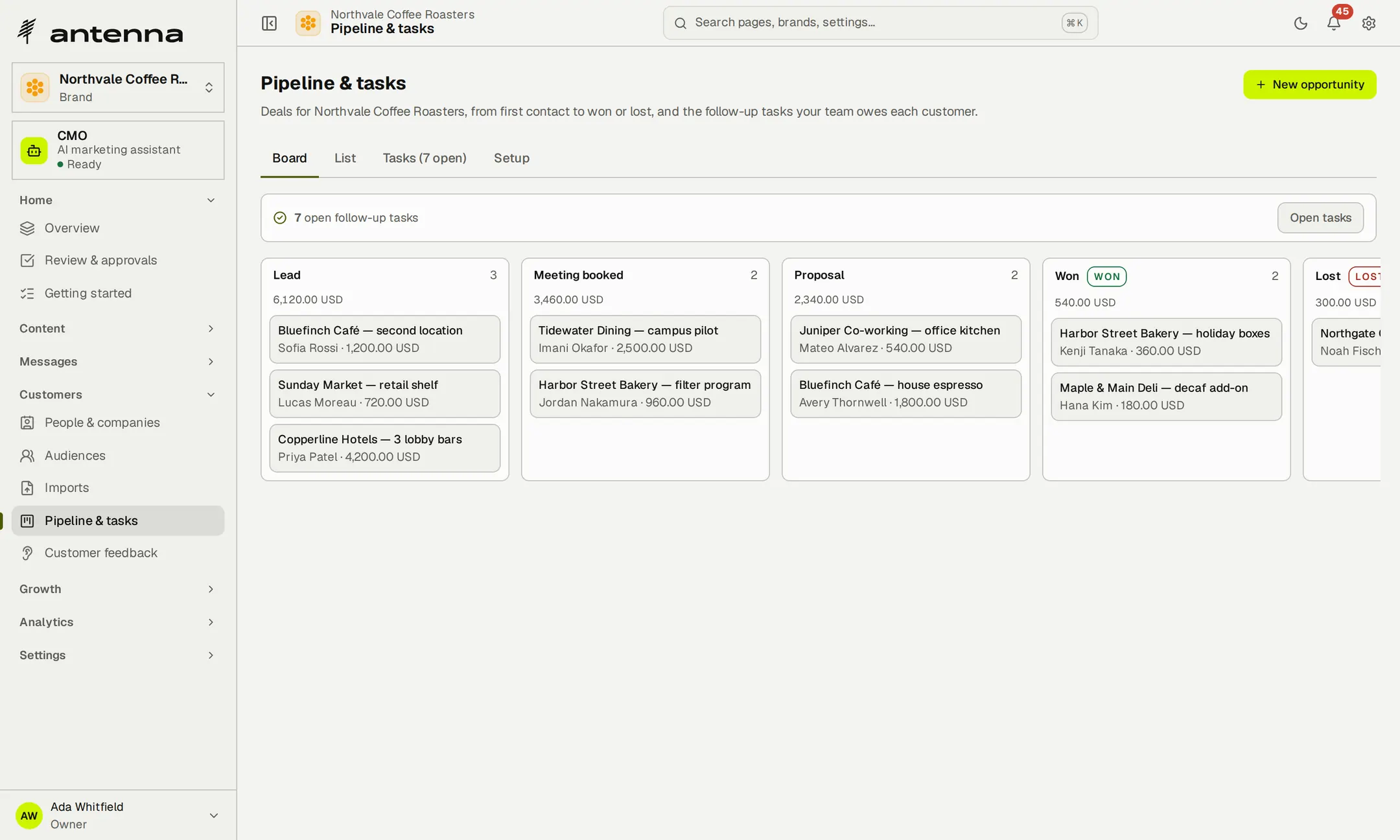
- Your stagesStart from Lead, Meeting booked, Proposal, Won and Lost, or set up to 30 of your own.
- Your CRM can follow alongA signed webhook on every stage change carries ids and values, never a contact's name.
- 30pipeline stages of your own, from lead to won
Follow a reply all the way to a deal, and let your CRM follow along.
Compare performance across brands.
The portfolio compares every brand's growth side by side, and each brand's analytics show impressions, engagement, clicks, reach and followers from the networks themselves. Export post performance to CSV for any date range.
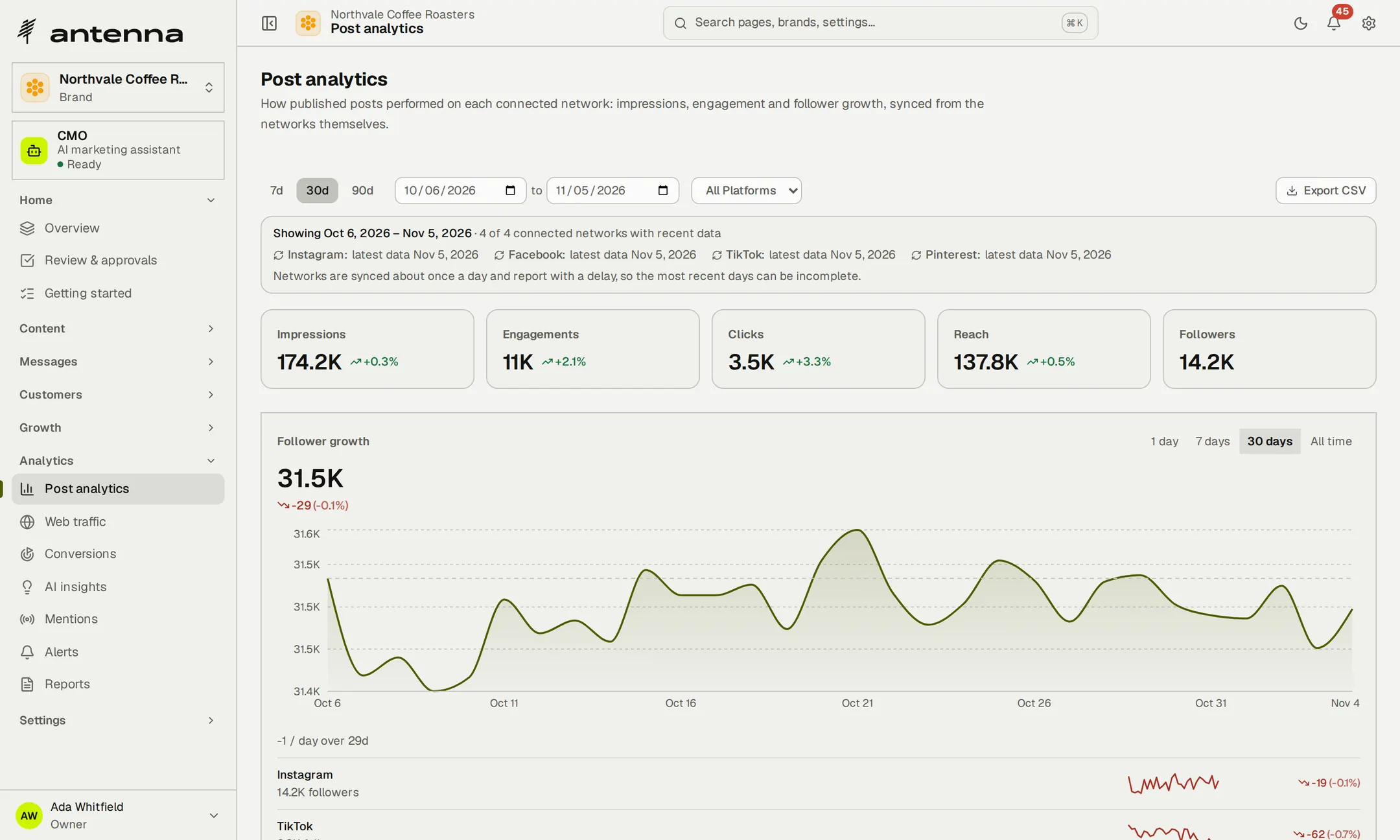
Example records in a workspace of fictional brands.
- Best time to postA heatmap of when each brand's audience responds.
- Delays statedNetworks report about once a day, and Antenna says which days may be incomplete.
Connect activity to outcomes.
Add a snippet to the brand's site, or send events from your server: sign-ups, meetings booked, purchases. Antenna links each conversion to the post, link or experiment that came before it within the goal's window, and says how confident it is.
- Associations, not proofSources are last-touch associations, and none is ever marked certain.
- Two kinds of keyThe site key adds anonymous events only; revenue and identities need a signed server key.
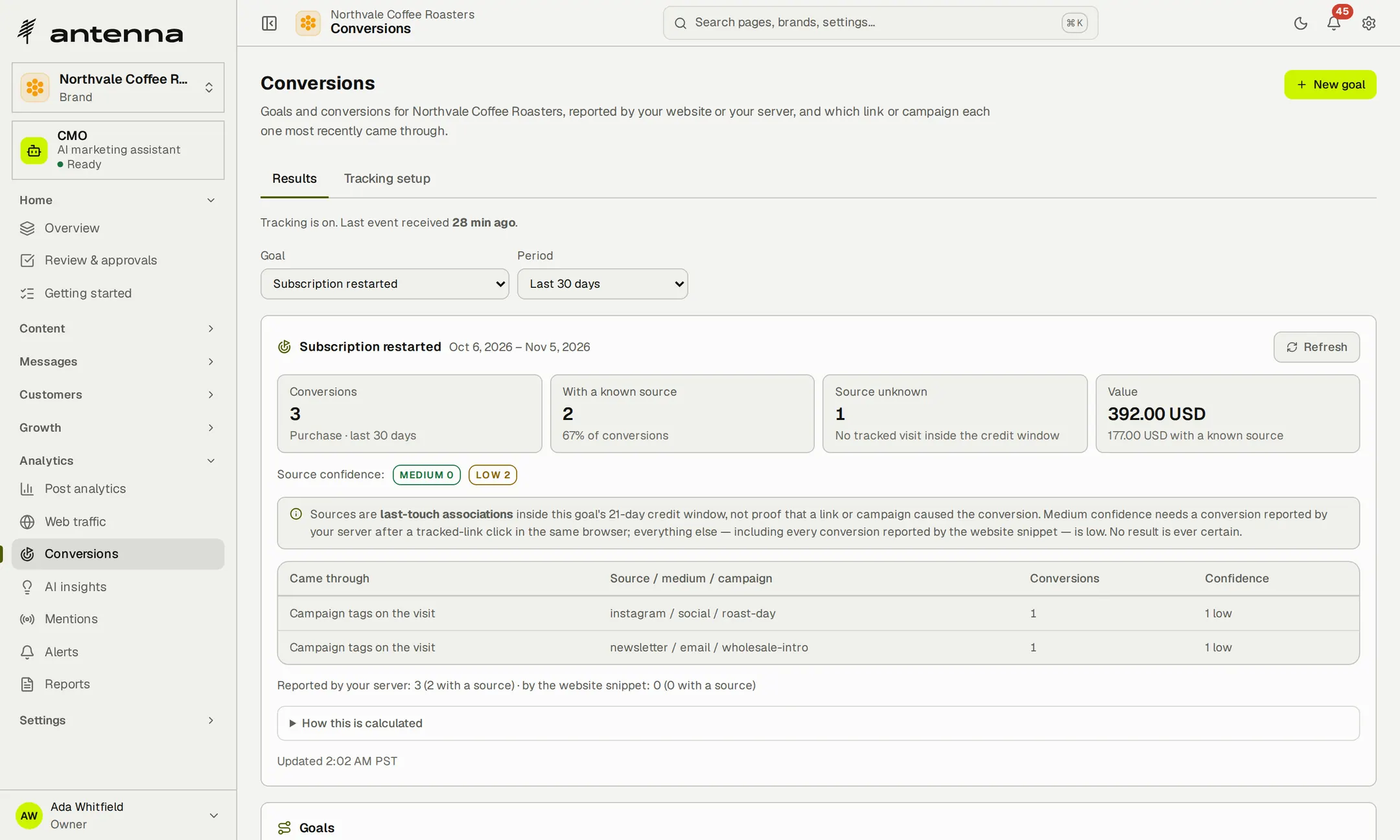
Example records in a workspace of fictional brands.
Send reports people can use.
Choose a daily digest, a weekly or monthly portfolio report, a brand spotlight or one of eight focused views, or pick the sections yourself. Schedule it, send it by email or share a link that expires, and export it to CSV or a print-ready PDF.
- Your name on the workOn Agency, reports and approval pages carry your name, logo and colours.
- On a scheduleDaily, weekly or monthly, ready before the client call.
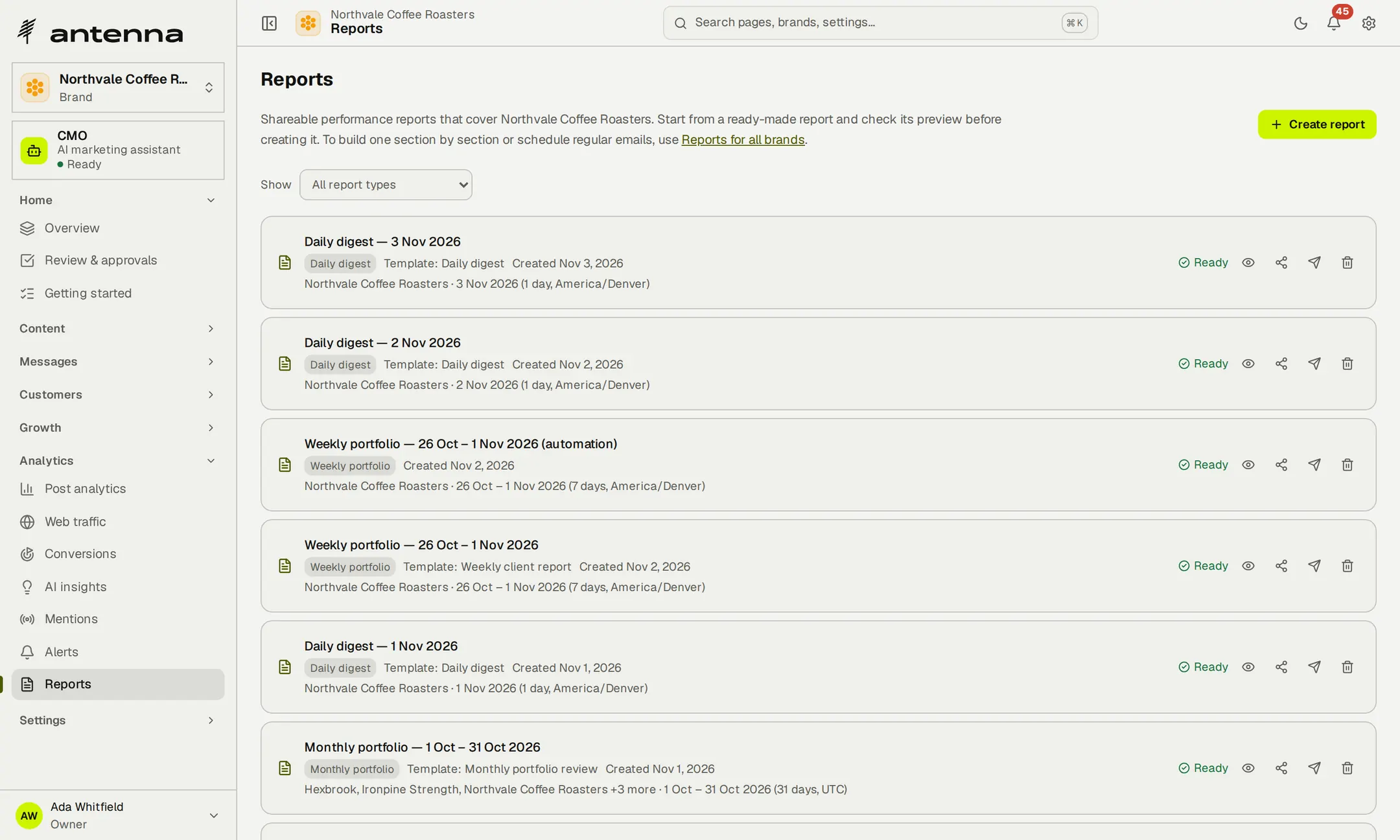
- 8focused report views, or choose the sections
- 3schedules: daily, weekly or monthly
Send the client report before the client asks for it.

Give each person the right access.
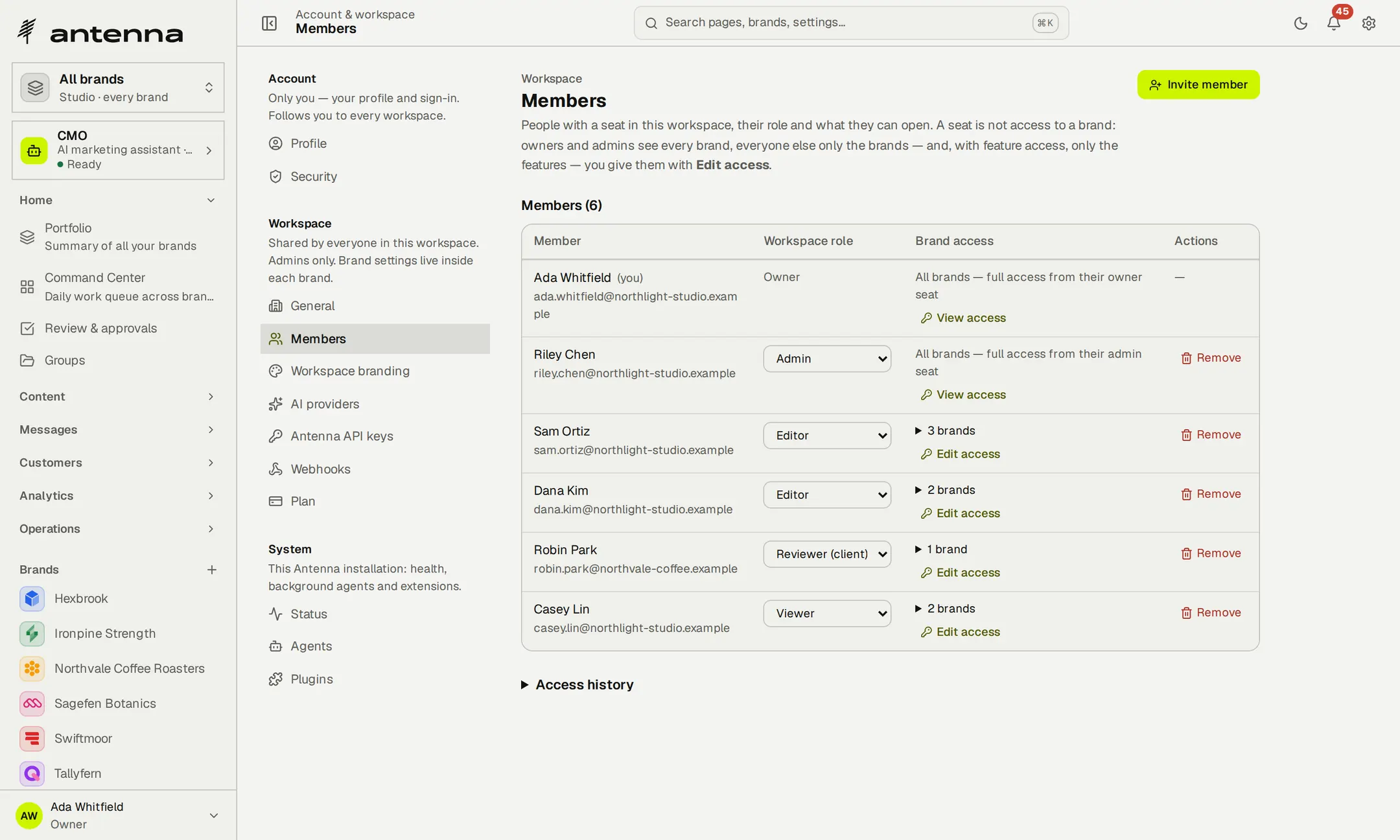
Every brand starts private. Choose the brands each person works on and, inside each brand, their features and level of access. Sam can edit Northvale's content and work its inbox, view Hexbrook's content and reports, and won't see Ironpine at all.

- Open the workspace's members.
- Open one person's access.
- See what they can do on each brand.
Recorded in Antenna, in an example workspace of fictional brands. The recording has no sound.
- Five levelsView, operate, edit, supervise or manage, feature by feature.
- Out of sightA brand or feature someone hasn't been given doesn't appear for them.
Bring reviewers into the work.
Invite clients and colleagues as reviewers. They see only the brands you choose, approve or reject what's waiting, and cost nothing extra. Before an invitation goes out, Antenna previews exactly what the person will be able to do.
- Client sign-off on outreachA client can record a sign-off on an outreach plan from a link; your own approval still decides.
- Roles that read plainlyOwner, admin, editor, reviewer and viewer, each with its brands listed.
Keep control as the team grows.
Every change to someone's access is recorded: who made it, when, and what it was before and after. Remove a person and their access ends. Two-factor sign-in with backup codes, and a list of signed-in devices you can sign out, protect each account.
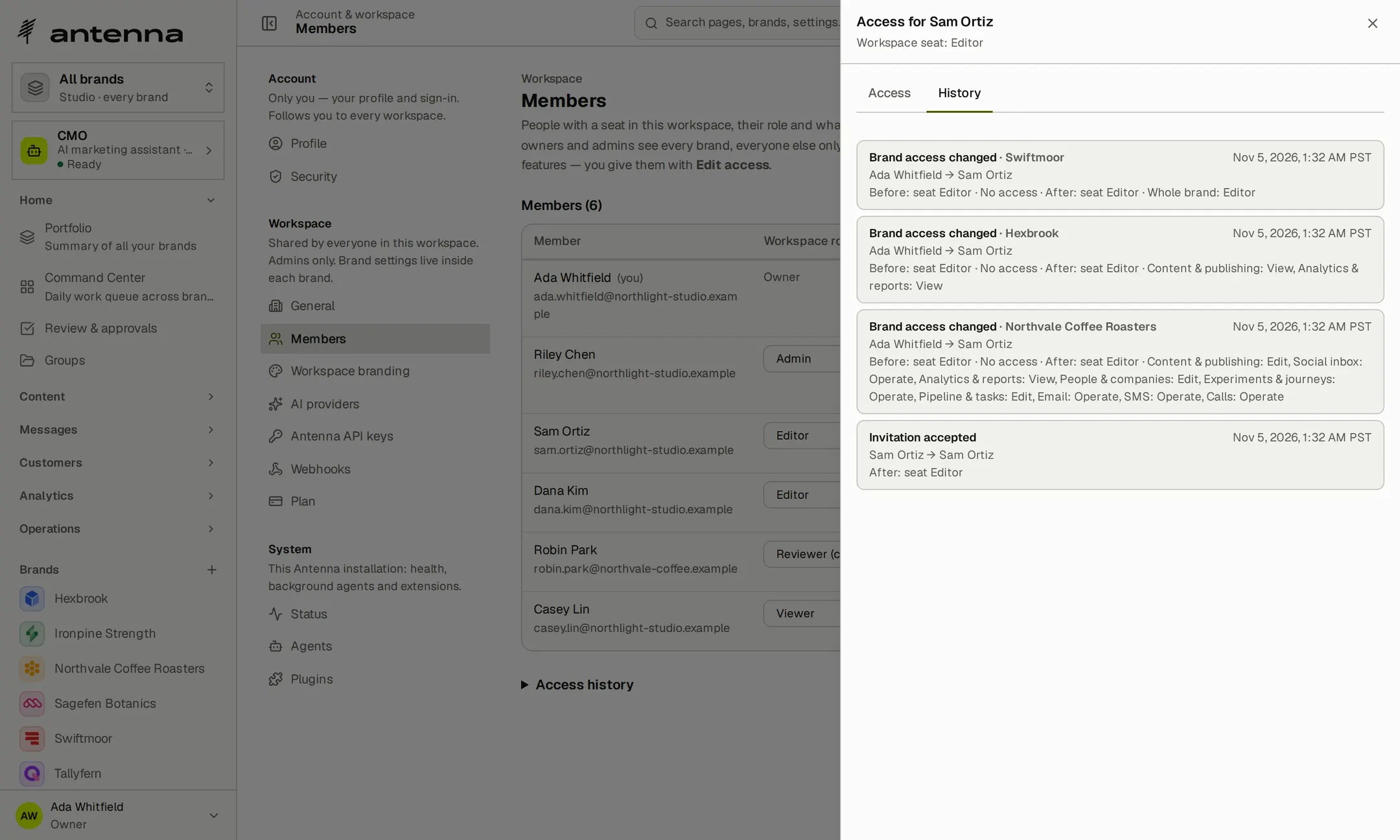
- 5levels of access, set feature by feature
- Unlimitedteam members on every plan
- $0for reviewer seats
Bring the whole team in without paying per seat.
Priced per workspace, not per person.
Every plan, Free included, comes with unlimited brands, team members and reviewers. Plans differ in connected channels, video slicing minutes, storage and uptime monitors.
Solo
For an independent marketer building a steady rhythm.
$19 /month
$15 /month
or $15/month billed $180 annually
billed $180 annually
- 10 connected channels
- 60 slicing minutes/month
- 10 GB storage
- 5 uptime monitors
Studio
For a team keeping several brands moving together.
$39 /month
$29 /month
or $29/month billed $348 annually
billed $348 annually
- 25 connected channels
- 400 slicing minutes/month
- 50 GB storage
- 20 uptime monitors
Agency
For a larger client roster and reports that carry your name.
$99 /month
$79 /month
or $79/month billed $948 annually
billed $948 annually
- 150 connected channels
- 1,250 slicing minutes/month
- 250 GB storage
- 50 uptime monitors
- White-label reports and branding
Start free with two channels, 1 GB of storage and one uptime monitor. No credit card required. Video slicing starts on a paid plan.
Start freeEmail, messages and calls are billed by your own providers. AI features use your own keys.
Compare plan allowances
| Allowance | Free | Solo | Studio | Agency |
|---|---|---|---|---|
| Monthly price | $0 | $19 | $39 | $99 |
| Billed annually | — | $180 a year | $348 a year | $948 a year |
| Connected channels | 2 | 10 | 25 | 150 |
| Slicing minutes a month | — | 60 | 400 | 1,250 |
| Storage | 1 GB | 10 GB | 50 GB | 250 GB |
| Uptime monitors | 1 | 5 | 20 | 50 |
| White-label reports and branding | — | — | — | Included |
Questions worth asking first.
Who is Antenna for?
Agencies, in-house teams, founders and independent marketers running more than one brand. Use the portfolio to see the whole picture and each brand's space to do the work.
Which social networks does Antenna support?
Facebook, Instagram, LinkedIn, X, TikTok, YouTube, Pinterest, Threads, Bluesky and Mastodon. Connections on the hosted service are being rolled out in stages; your workspace shows which ones you can connect today.
What's available on the hosted service today?
You can organize brands, plan and review content, manage customer records and tasks, and work with the reports, audits and insights. Outbound email, SMS, WhatsApp, calling, video processing and Google data connections are being enabled in stages. Check the availability in your workspace before relying on a particular channel.
Can I give people different access for each brand?
Yes. Choose their brands, then their features and level of access inside each one. Your calling team can work on Calls while other teammates handle content, email or reporting. Administrators can review and change that access as responsibilities change.
Can clients approve content?
Yes. Invite reviewers to the brands they work with and require approval before content is published. On those brands, the person who submitted a post can't approve it, unless they are a workspace owner or administrator signed in themselves. API keys can't approve that content. An AI assistant connected to someone's account can do only what that person can, and it never approves that person's own work.
Does Antenna post or contact people on its own?
Agent suggestions arrive as drafts for a person to review. Automations you set up run on a schedule or from an RSS feed, and on brands that require approval their posts wait for a person too. Outreach launches only after someone other than its author approves it, and calls are placed one at a time by a person.
Who pays for email, messages, calls and AI?
You pay your providers directly through your own accounts. Antenna adds no message or minute markup, and AI features use your own keys.
Do I need my own AI key?
Yes, for the features that write or analyse with a model. Add an Anthropic or Gemini key in settings; the assistants need an Anthropic key, and clip captions use an OpenAI key. Your provider bills you directly.
Which AI assistant does the AI-answer check measure?
Claude. Antenna asks it the questions your buyers ask and records whether you're named, at what rank and who's recommended instead. ChatGPT, Perplexity and Google AI are shown as not measured, so the score never quietly includes them.
Do the outreach controls make me compliant?
They give you the controls: consent records with evidence, a do-not-contact list, sending hours, attempt limits and spending caps, all checked when each message goes. What your region and channel require is still your decision; the controls aren't legal advice or a certification.
Is pricing per person?
No. Pricing is per workspace. Every plan includes unlimited brands and team members, with free reviewer seats. The allowances that vary are connected channels, slicing minutes, storage and uptime monitors.
Can I export my data?
Yes. Export supported posts and calendar data, analytics, reports and a media-library manifest. People with administrator or Manage access can also export each brand's customer records.
How do I get started?
Create a free account, add a brand and start organizing its work. Connect an available channel when you're ready to publish. Add teammates and give them the access they need.

Make room for your next brand.
Start with the brands you run today, and bring the team in when you're ready.
Two channels to begin. No credit card required.